Scoop signals from the frequency soup.
The air around you is a soup of radio signals. ESPsoup turns a cheap ESP32-C5 board, plugged into your phone or PC by USB, into a pocket spectrum scanner for 1–6 GHz. It shows what's cooking and scoops out whatever it can decode.
Three steps to your first soup.
No antenna farm, no SDR dongle. A twenty-euro ESP32-C5 board, a USB cable and a browser are enough to start.
Get an ESP32-C5
Any ESP32-C5 dev board works. One with an external antenna connector is the best choice. Board tips ↓
Flash ESP-SDR
ESPsoup uses the free ESP-SDR firmware by ESPARGOS. Flash it once with their web installer, or from the Pantry in the app, which downloads it from ESPARGOS.
Plug in and stir the pot
Connect the board by USB, open ESPsoup and tap “Stir the pot”. The Kitchen fills up with everything it can hear.
Four rooms, one pot.
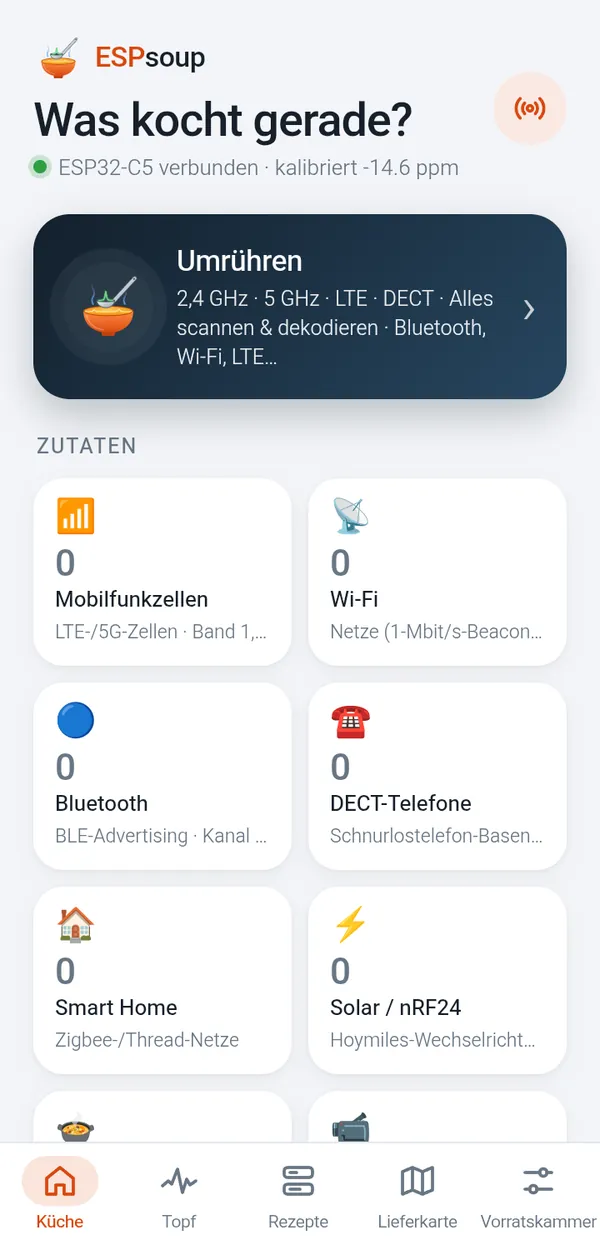
ESPsoup is organised like a kitchen. You start in the Kitchen, a dashboard of everything around you. The Pot is the live instrument, Recipes are the decoders and the Pantry holds the settings and tools.
Everything runs locally on your device. ESPsoup only listens: it never transmits, and it only decodes public broadcast information like beacons, cell identities and advertising packets.
What's cooking around you
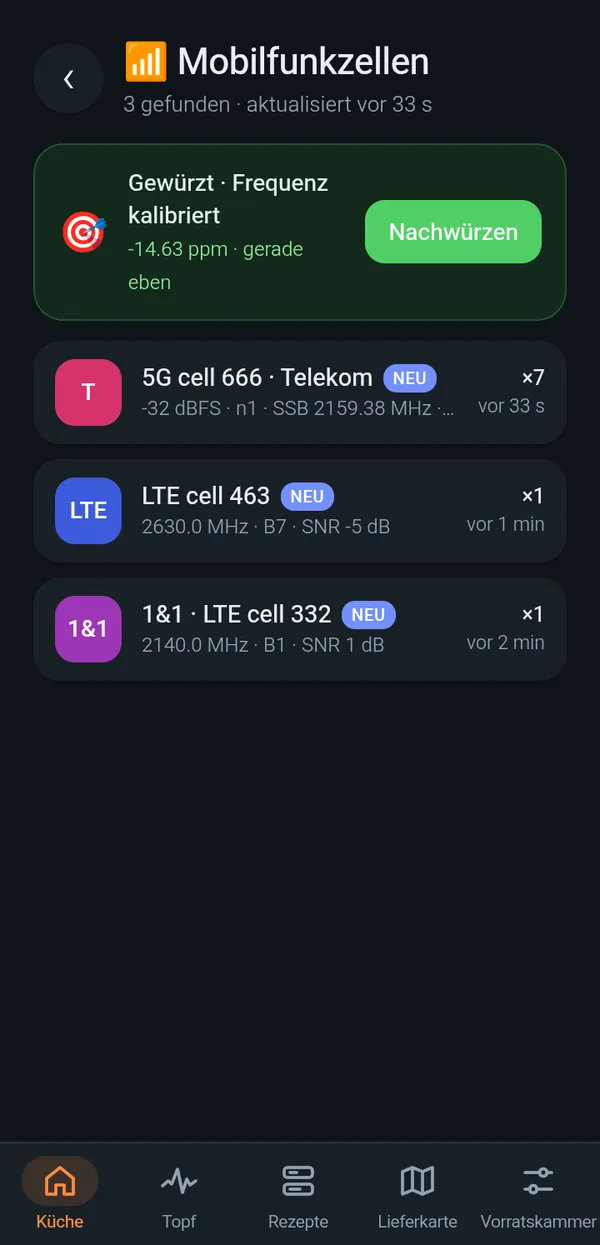
Mobile cells, Wi-Fi, Bluetooth, smart home, solar inverters, drones and more as live tiles, plus a list of everything just scooped. Export as CSV or JSON.
Spectrum and waterfall
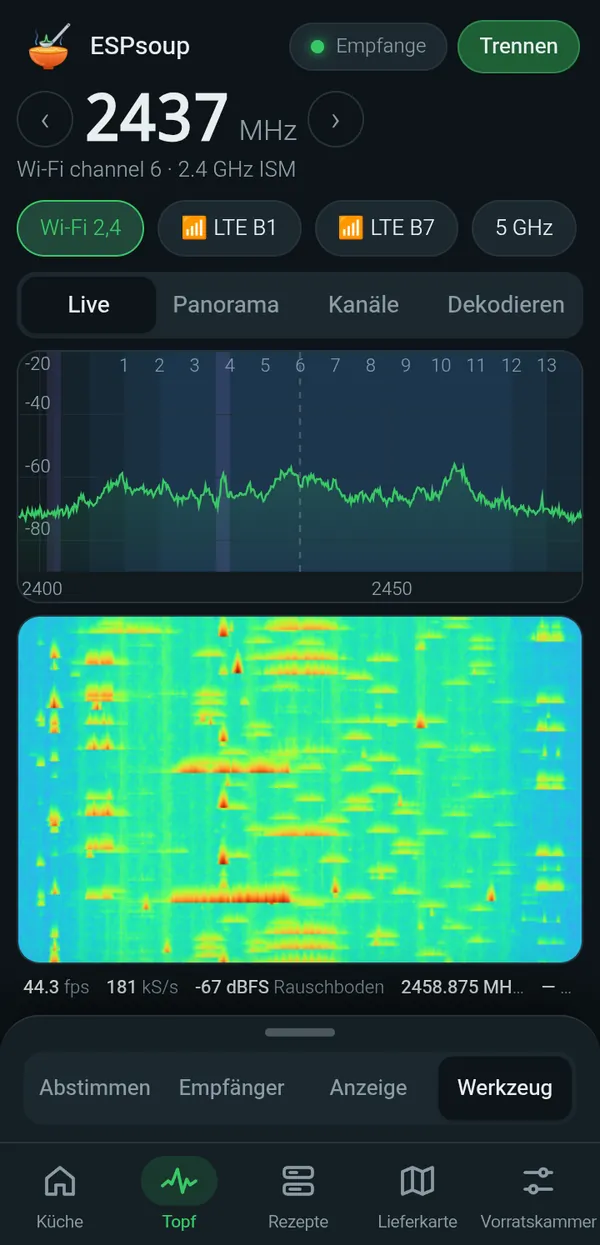
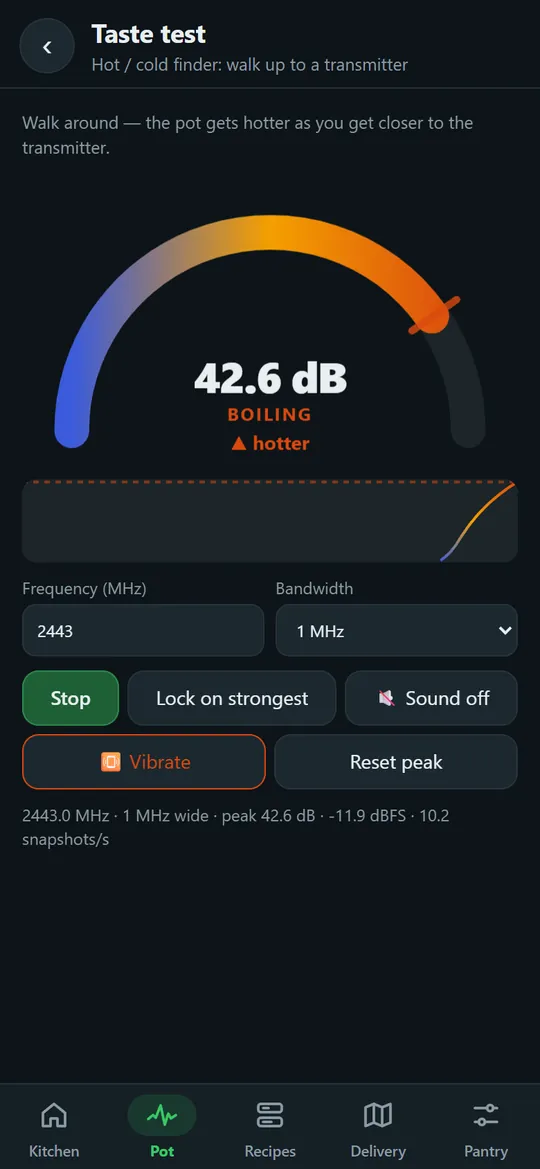
Live spectrum, waterfall, 1–6 GHz panorama sweep, Wi-Fi channel view, a hot/cold transmitter finder and a 24-hour band occupancy log.
Decoders
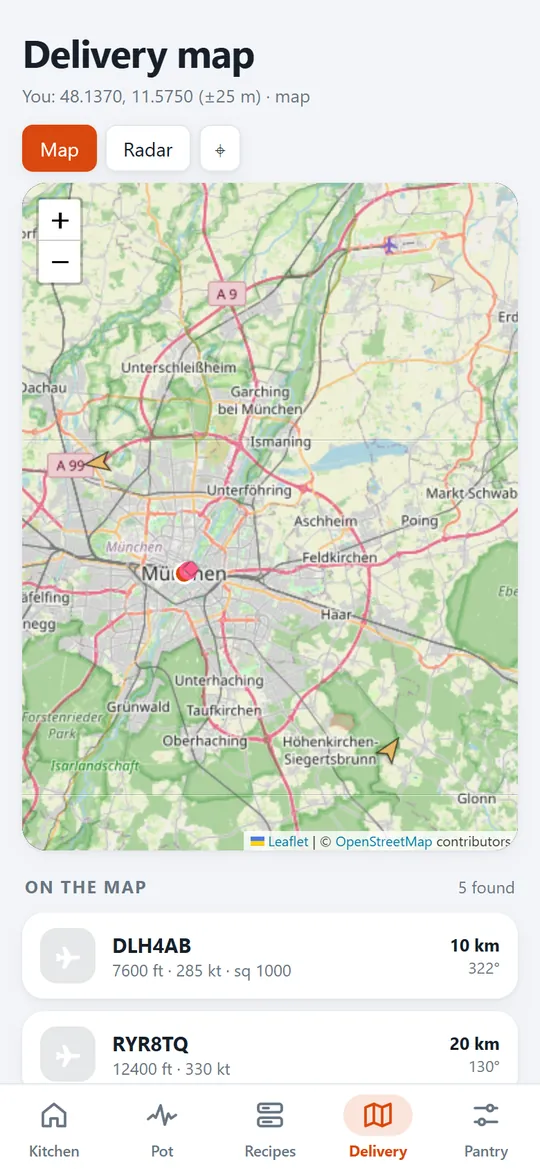
BLE, Zigbee/Thread, nRF24/Hoymiles, Wi-Fi beacons, LTE/5G cell info, drone Remote ID, DECT, ADS-B, GPS, Iridium, QO-100 and more.
Seasoning and tools
Frequency calibration against mobile base stations, MQTT export to Home Assistant, alerts, SigMF recordings and the firmware flasher.
One tap runs every recipe in a round-robin plan (about 12–15 s per cycle) and collects the results in the Kitchen. With two boards it cooks on two burners at once.
Real screens, real air.
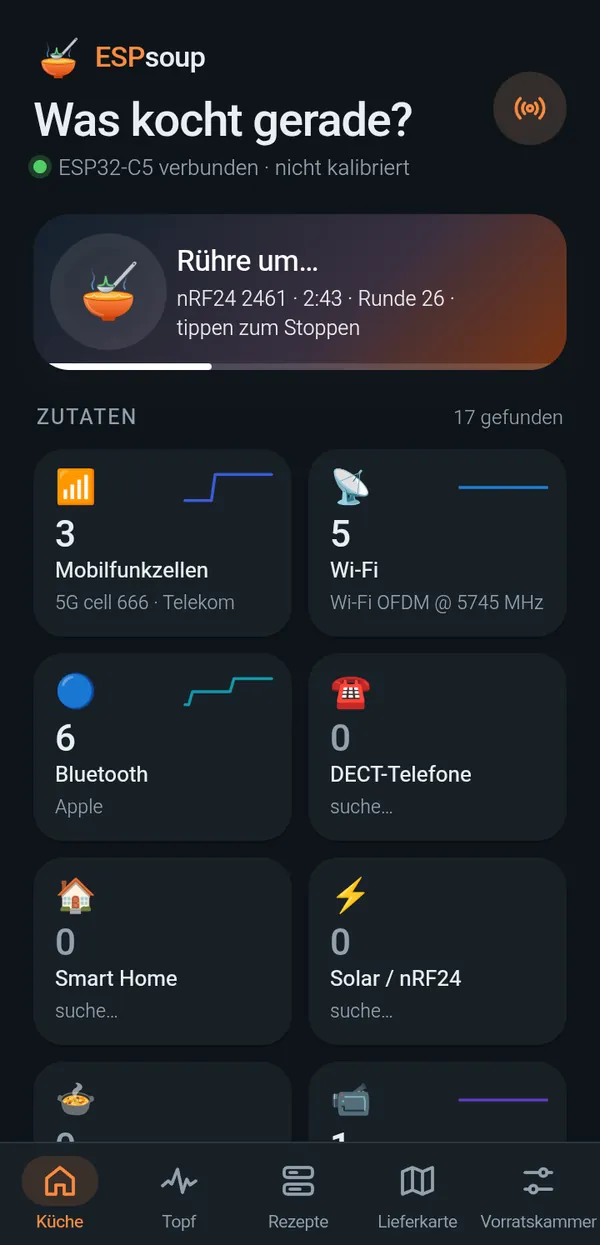
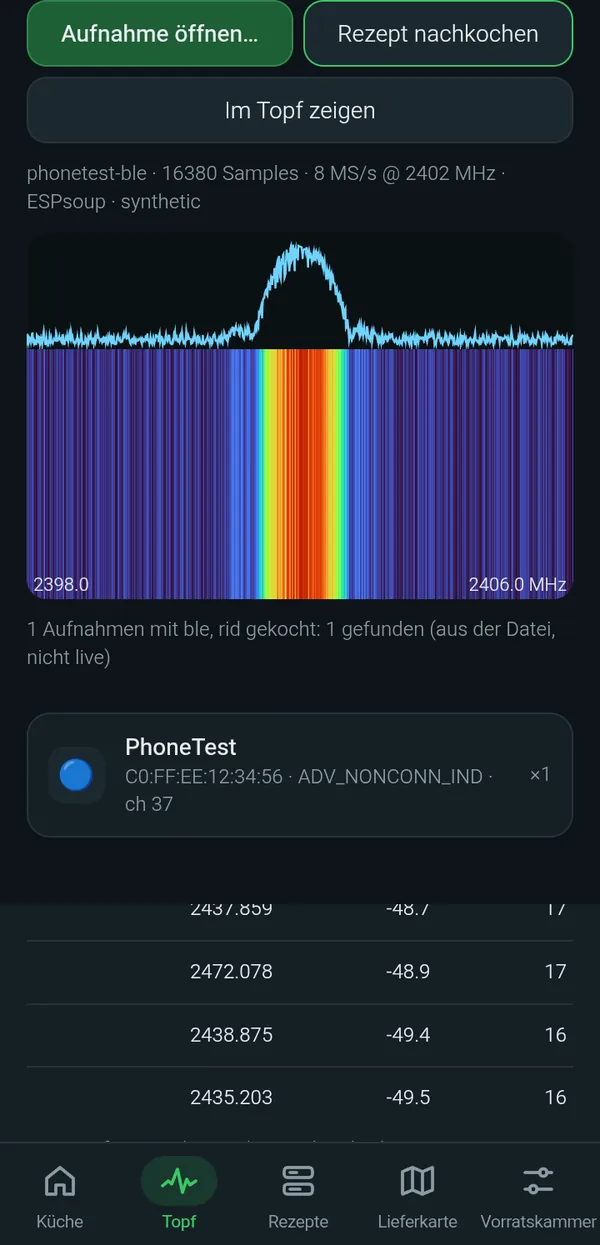
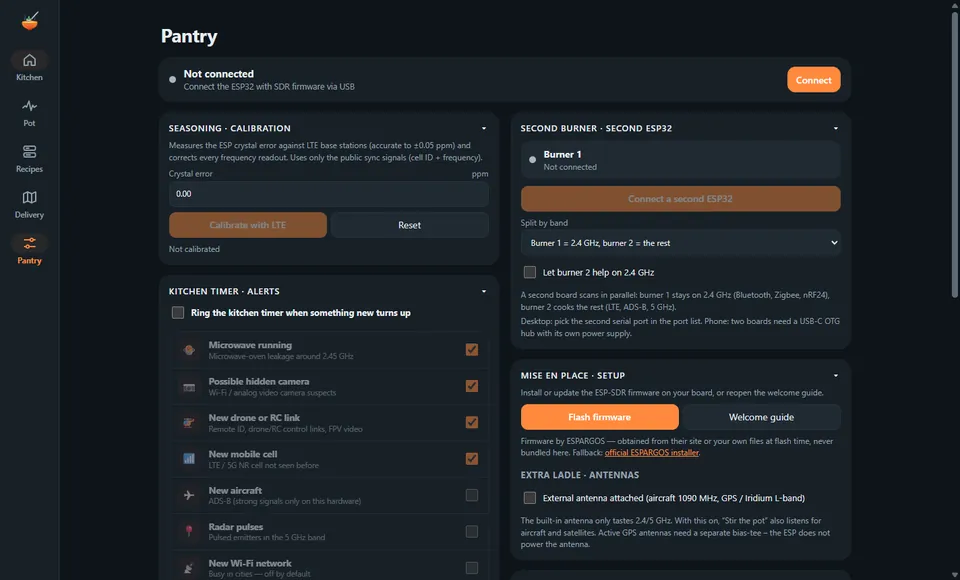
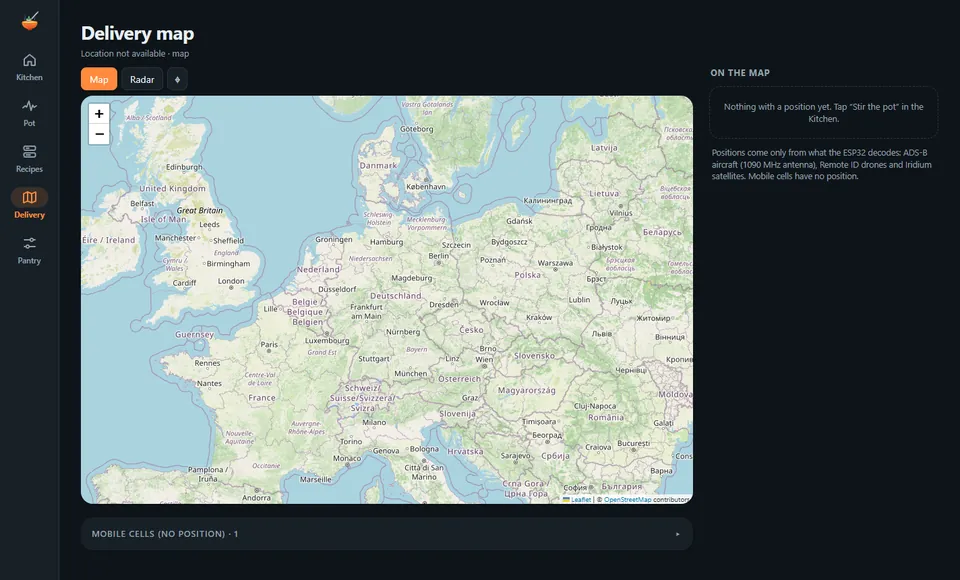
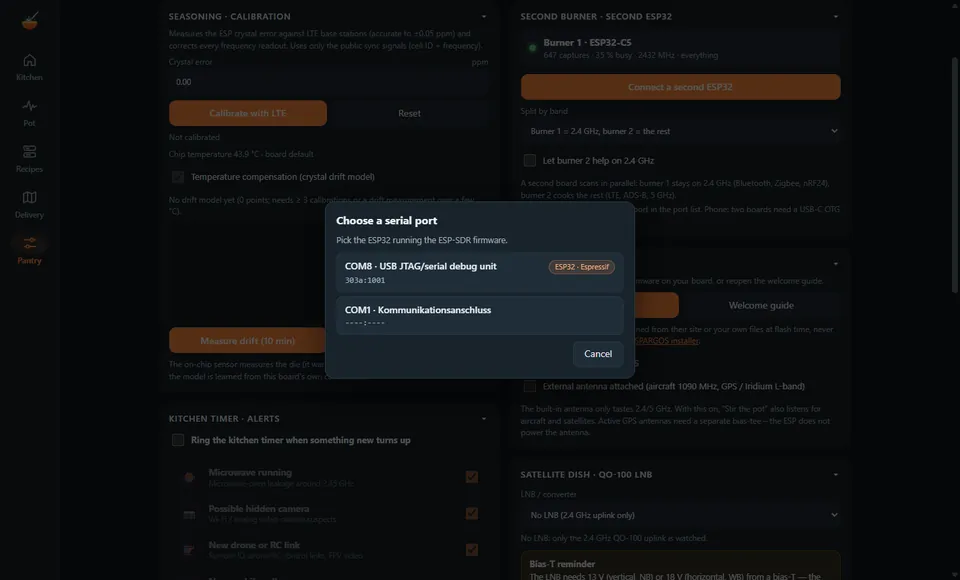
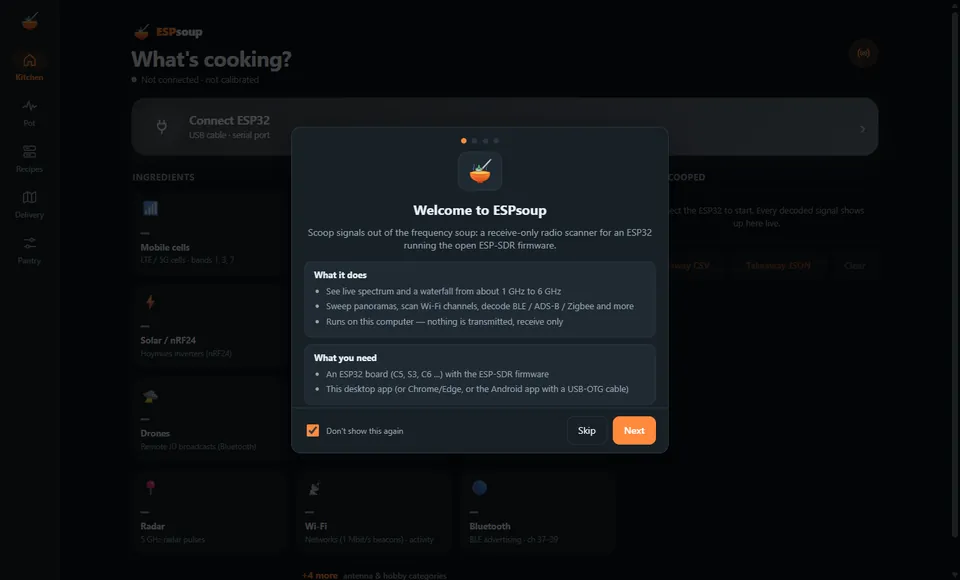
Screenshots from the Android app on a Redmi phone and from the Windows desktop app, each with a real ESP32-C5 attached. The few recipe screens that use sample data are marked.
📱Android
Real device, USB-OTG. Some screens show the German interface: ESPsoup speaks English and German.
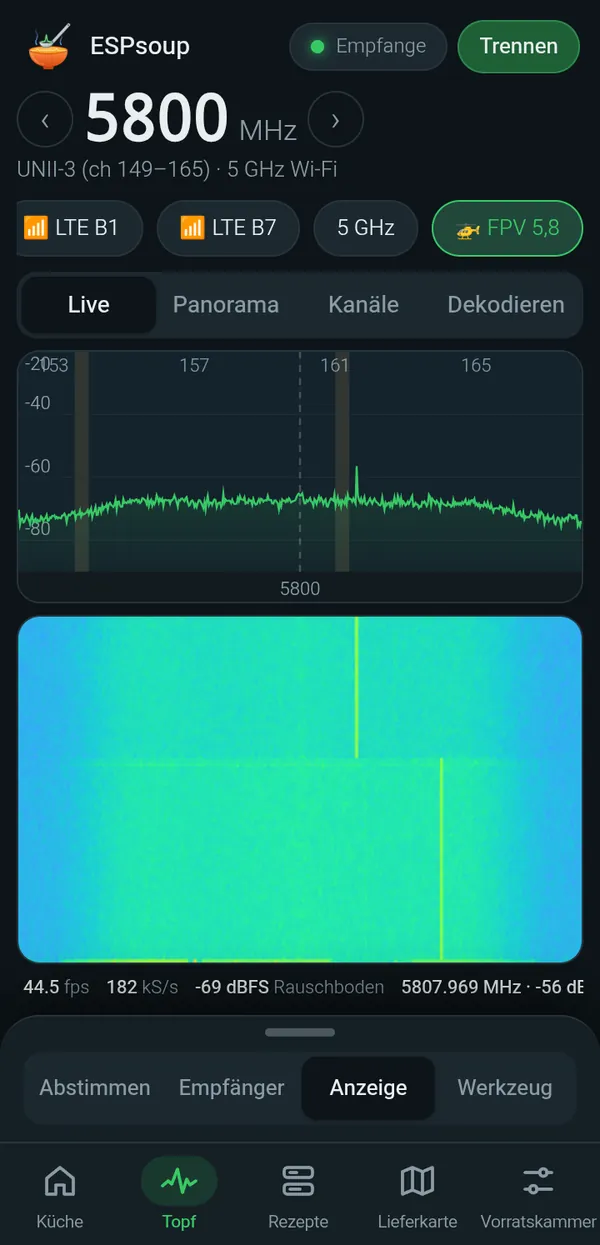
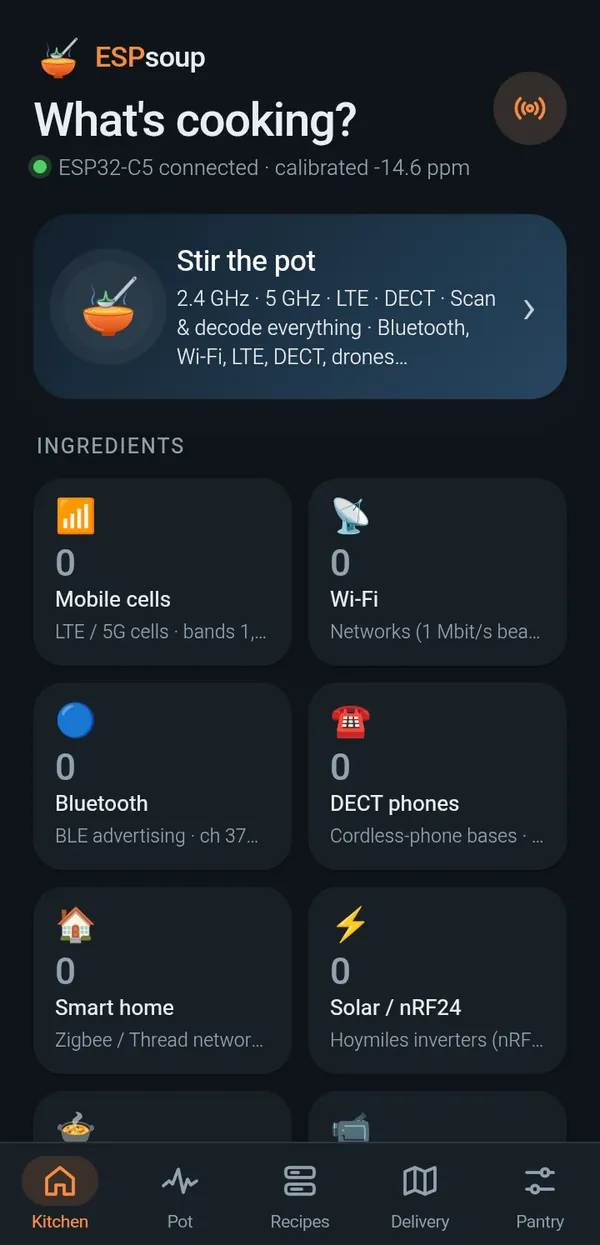
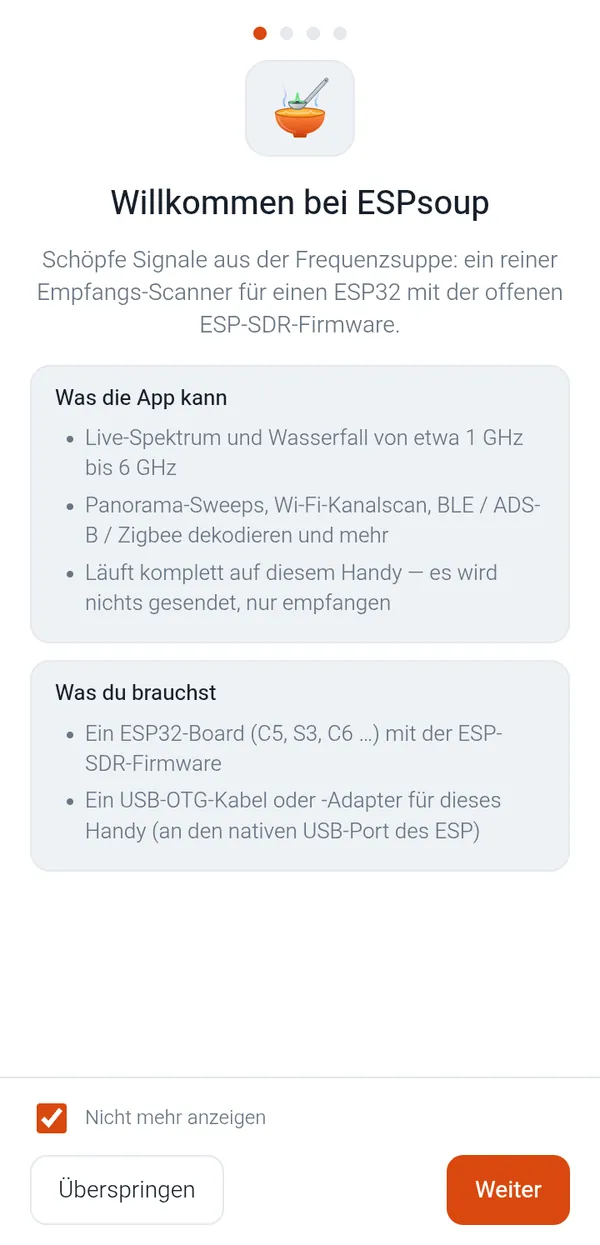
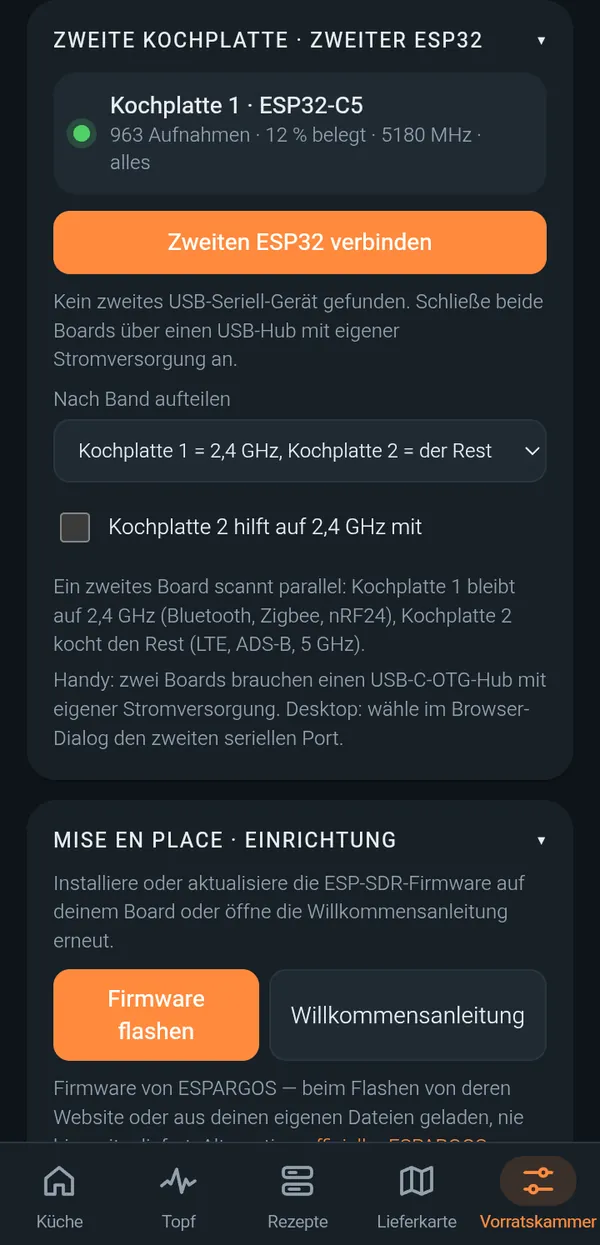
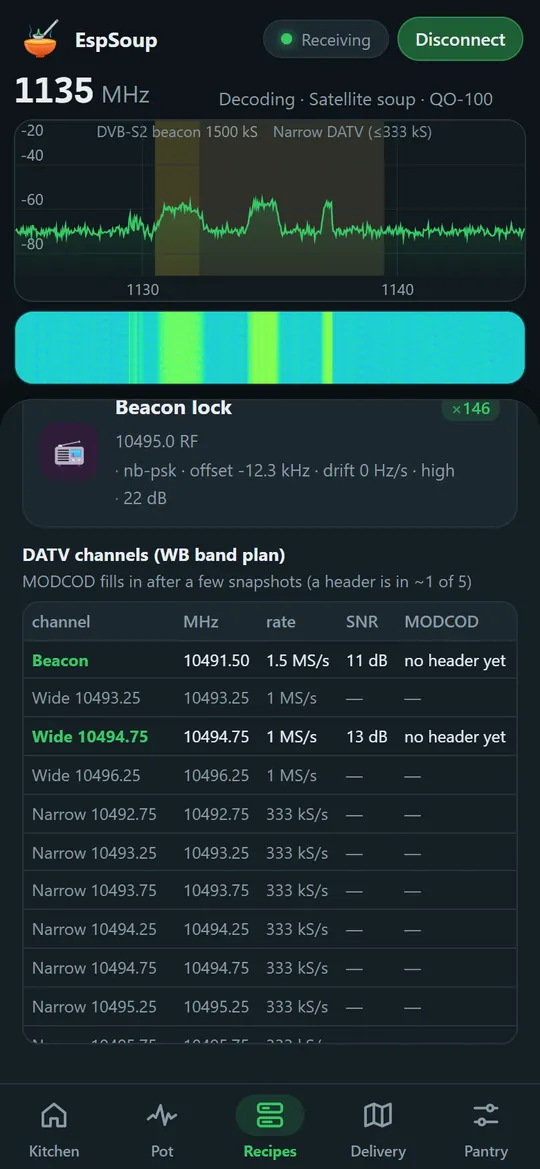
Swipe for more →
🖥️Windows desktop
The desktop app (Electron) with a board on USB. The browser app at app.espsoup.com looks the same.
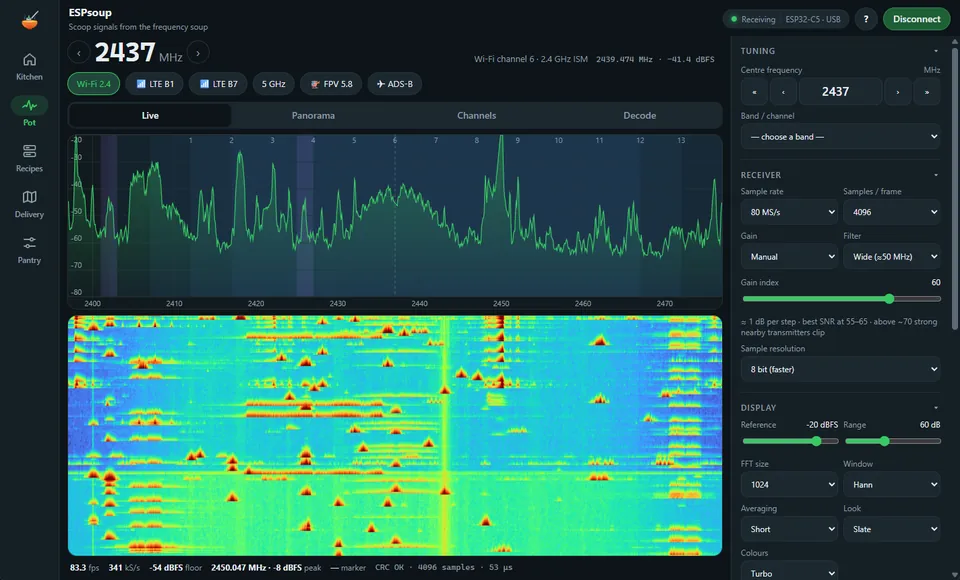
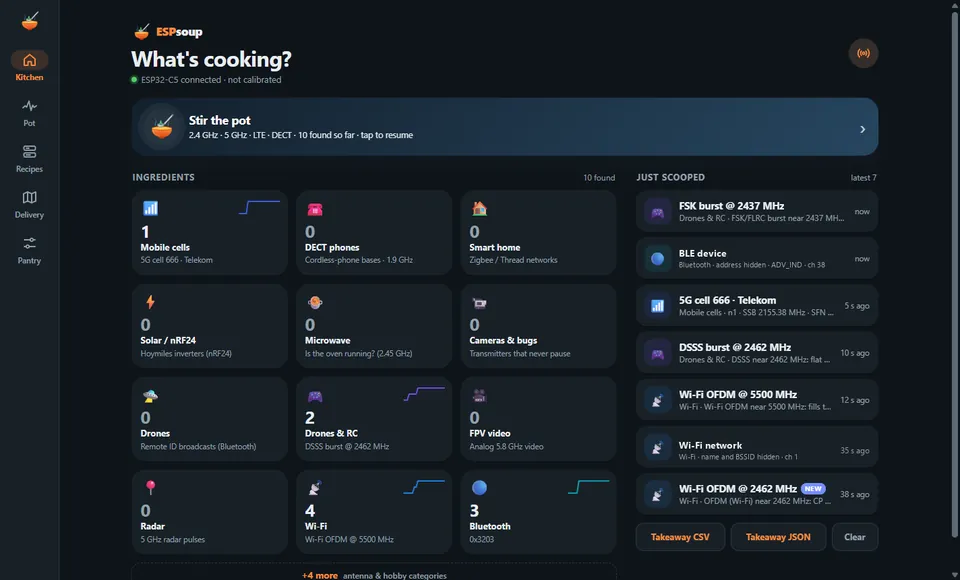
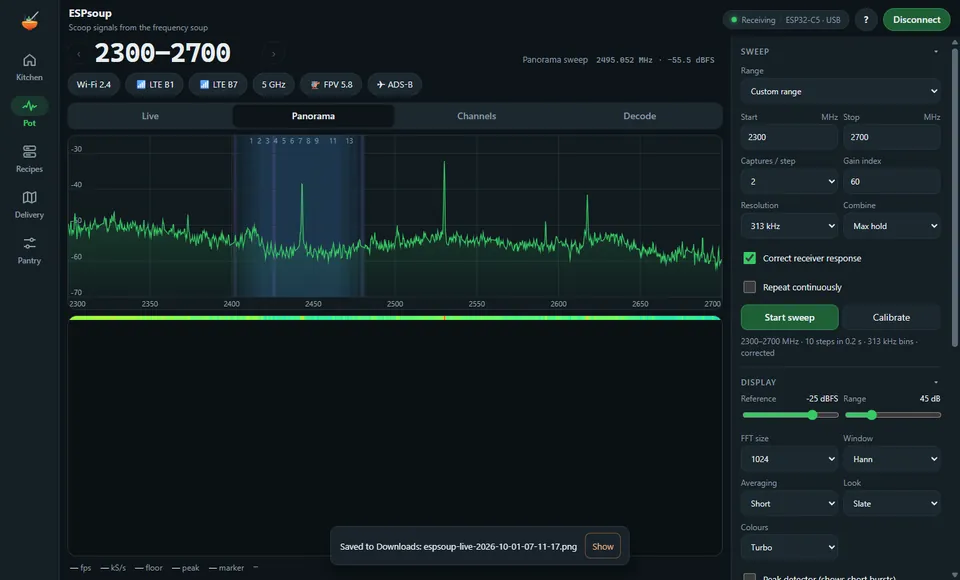
What works, what needs an antenna, what doesn't.
The ESP32-C5 is a Wi-Fi chip, not a lab SDR. Here is what ESPsoup really does with it, based on our real-air tests.
✓Works on a bare board
Decoded and seen on real air with the board's own PCB antenna.
- Live spectrum and waterfallabout 1.05–6 GHz, up to 80 MHz wide snapshots
- Bluetooth LE advertising
- Zigbee, Thread and 802.15.4
- nRF24 and Hoymiles solar inverters
- LTE and 5G cell identitiesband 1 and 7, 5G NR SSB and MIB
- Wi-Fi networks from beaconspartial: only 1 Mbit/s beacons, rare hits
- Analog FPV video
- MQTT export, CSV/JSON, SigMF
📡Needs an antenna
The decoders are there, but weak signals need an external antenna on a U.FL/SMA board.
- ADS-B aircraftneeds a 1090 MHz antenna
- GPS / GNSS satellitesL-band antenna, snapshot acquisition only, no navigation
- Iridium ring alertsL-band antenna
- QO-100 satellite (10 GHz)dish + LNB with 24 MHz reference + bias-T
- Experimental, not yet seen on air: DECT bases, drone Remote ID, microwave-oven detector, ANT+
✕Not possible on this chip
No firmware trick changes the radio's limits.
- Anything below 1 GHzFM radio, DAB+, 433/868 MHz sensors, LoRa 868, AIS, pagers, TETRA, DVB-T
- Anything above 6 GHz without an LNB
- Following frequency-hopping linksonly single bursts are seen
- Continuous, gap-free recordingsnapshots with 20–70 ms gaps
- Listening to calls, audio or payload content
Which ESP32 do I need?
An ESP32-C5. It is the ESP32 with a dual-band 2.4 + 5 GHz radio, and it is what ESPsoup is built and tested on. Boards cost around 15–25 €.
Waveshare ESP32-C5 with external antenna
A full-size dev board with the ESP32-C5-WROOM-1U module and a U.FL connector for an external dual-band antenna. Best reception, and you can swap in a 1090 MHz or L-band antenna later.
- ESP32-C5
- U.FL antenna connector
- 2.4 + 5 GHz
- USB-C
Seeed Studio XIAO ESP32-C5
Thumb-sized, with a U.FL connector for an external antenna. We run one side by side with a dev board as the “second burner”.
View on Amazon ↗Ad · affiliate linkWaveshare ESP32-C5 dev board, PCB antenna
The plain version with the antenna printed on the module and pre-soldered headers. Fine for the 2.4/5 GHz recipes, weaker for everything else.
View on Amazon ↗Ad · affiliate linkAll shop links are affiliate links (marked “Ad”). We may earn a commission on qualifying purchases at no extra cost to you. As an Amazon Associate we earn from qualifying purchases.
Cook in the browser today.
The web app runs in Chrome or Edge on Windows, macOS, Linux and ChromeOS. It talks to the board over Web Serial, works offline once loaded and can be installed like an app.
Browser app
Open it, plug in your board and click Connect. Needs a browser with Web Serial (Chrome, Edge, Opera). Firefox and Safari can't talk to USB serial devices.
app.espsoup.com ↗Android app
The Android version talks to the board through USB OTG. Public APK download coming soon.
Coming soonWindows desktop
A portable Windows app with the same kitchen. Public download coming soon.
Coming soonFirmware: ESP-SDR by ESPARGOS
ESPsoup uses the ESP-SDR firmware by ESPARGOS. ESPsoup does not ship any firmware. Flash it with the ESPARGOS web installer ↗, or let the flasher in ESPsoup's Pantry download it from ESPARGOS for you.
Keep the soup cooking.
ESPsoup is a hobby project. If it helps you, a small tip pays for test boards, antennas and a lot of coffee.
Questions from the kitchen.
Does ESPsoup transmit anything?
No. ESPsoup is receive-only. It never transmits and only decodes publicly broadcast information such as beacons, advertising packets and cell identities.
Which board do I need?
An ESP32-C5 development board, ideally one with a U.FL connector for an external antenna. ESPsoup is built and tested on the ESP32-C5 only.
Can it receive FM radio, DAB+ or 433/868 MHz sensors?
No. The ESP32-C5 radio tunes from about 1.05 to 6 GHz. Nothing below 1 GHz reaches it. For those bands you need a real SDR such as an RTL-SDR.
Is the firmware included?
No. ESPsoup uses the ESP-SDR firmware by ESPARGOS. You flash it with the ESPARGOS web installer, or the flasher in ESPsoup downloads it from ESPARGOS.
Which browsers work?
Chrome, Edge and other Chromium browsers on the desktop, because they support Web Serial. Firefox and Safari do not. On Android, use the Android app once it is released.
Does my data leave my device?
No. Everything is decoded locally. Data only leaves the device if you turn on MQTT export to your own broker, open the map (OpenStreetMap tiles) or download firmware from ESPARGOS.
Legal
ESPsoup only receives. Rules on receiving radio signals and on what you may do with the information differ from country to country. Use it responsibly and at your own risk.
ESPsoup is an independent project. It is not affiliated with Espressif Systems or with the ESPARGOS / ESP-SDR project. ESP32 is a trademark of Espressif Systems.