Receive-only radio scanner · ESP32-C5 Scoop signals from the frequency soup.
The air around you is a soup of radio signals. ESPsoup turns a cheap ESP32-C5 board, plugged into your phone or PC by USB, into a pocket scanner for the 2.4 and 5 GHz bands. Type what you're hunting for, like ELRS or AirTag, or let it search everything, then walk up to the transmitter.
Three steps to your first soup.
No antenna farm, no SDR dongle. A twenty-euro ESP32-C5 board, a USB cable and a browser or Android phone are enough to start.
Get an ESP32-C5
Any ESP32-C5 dev board with a native USB port works. One with an external antenna connector is the best choice. Where to buy ↓
Flash the ESPsoup firmware
Open Device → Firmware in the app and install the ESPsoup firmware 0.7.1 (open source, GPL-3.0, based on ESP-SDR by ESPARGOS). The app backs up your board first and checks every write.
Plug in and search
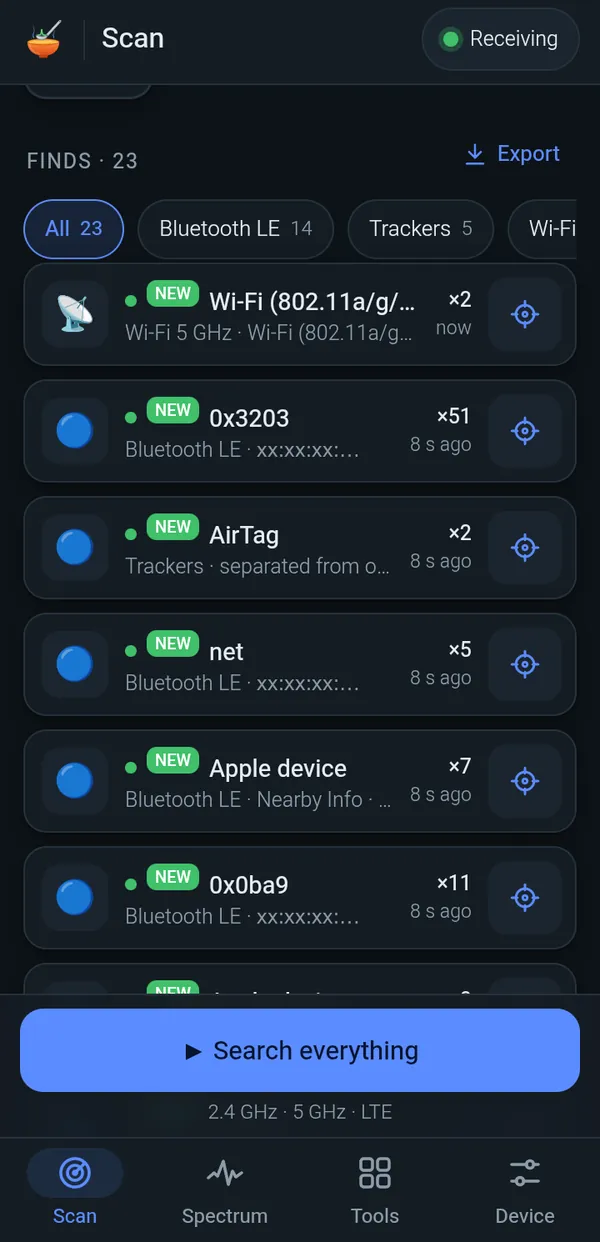
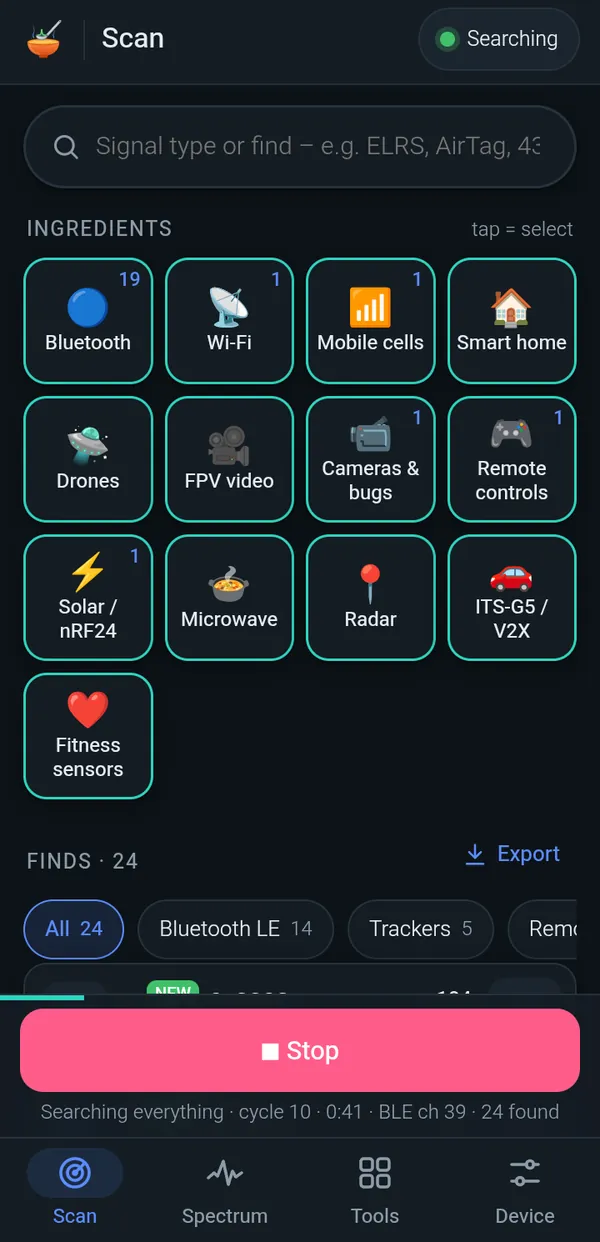
Connect the board by USB and tap “Search everything”. Or tap a few ingredient tiles, like Bluetooth or Drones, and “Search ingredients”. Every find gets a Find button to track it down.
What's new in beta 0.4
A 60 GHz radar tool, external SDRs on the desktop, a smarter Find and fewer false finds. Everything except the radar works with the ESP32-C5 you already have; the radar needs its own kit.
60 GHz radar
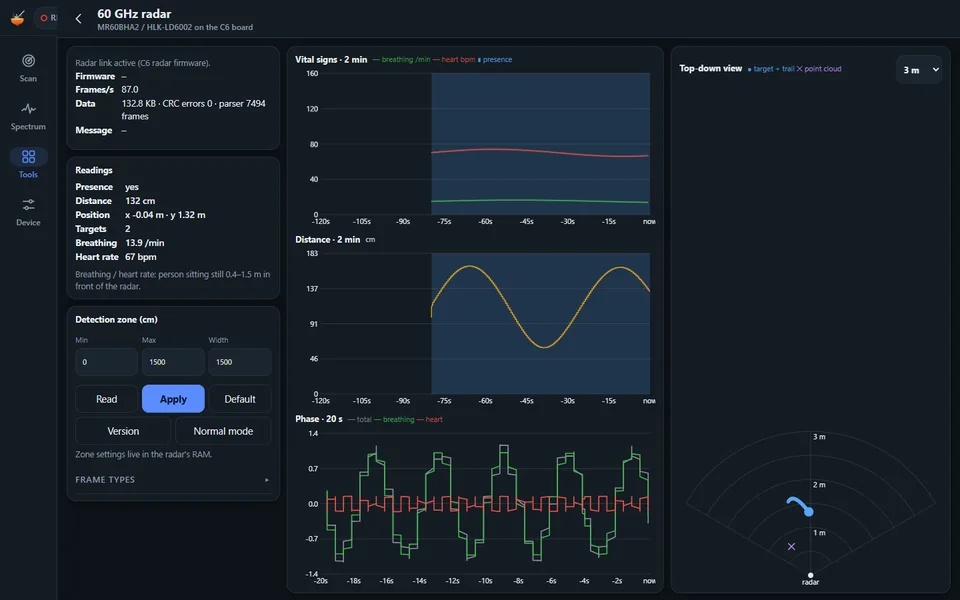
A new 60 GHz radar tool: presence, distance, target position with trail, point cloud, breathing and heart rate (for a person sitting still 0.4–1.5 m away), live charts for vital signs, distance and phase, a top-down view and detection-zone settings. Optionally a small radar overlay floats over the spectrum and waterfall. The tool only appears while the radar firmware is connected.
Hardware for the radar Ad · affiliate links
Requires: Seeed Studio MR60BHA2 60 GHz mmWave kit (XIAO ESP32-C6 + HLK-LD6002 radar). The ESP32-C5 board can't do this.
Install the radar firmware from the app (Device → Firmware) or from the mr60bha2-sdr-firmware releases ↗. It runs on the kit's ESP32-C6 only; the ESP32-C5 optimisations don't apply there.
MR60BHA2 on Amazon ↗Affiliate link (ad): Amazon. We may earn a commission on qualifying purchases at no extra cost to you. As an Amazon Associate we earn from qualifying purchases. The button opens the product page of the MR60BHA2 kit on Amazon; check the product details before you buy.
- NewExternal SDRs: RTL-SDR and PlutoSDR added – over WebUSB in desktop Chrome/Edge: receiver picker, live spectrum and waterfall (spectrum only for now; the decoders still need the ESP32-C5; not on Android yet).
- NewOffline map: save OpenStreetMap tiles and terrain around you and use them without internet, for example in airplane mode.
- NewDiagnostics recording: the REC button saves events, spectra and SigMF I/Q in one .tar file to attach to a bug report.
- NewMobile networks in Spectrum: jump to an operator's uplink or downlink blocks, per EU country.
- NewVendor lookup: manufacturer names (IEEE) for Wi-Fi and Bluetooth MAC addresses.
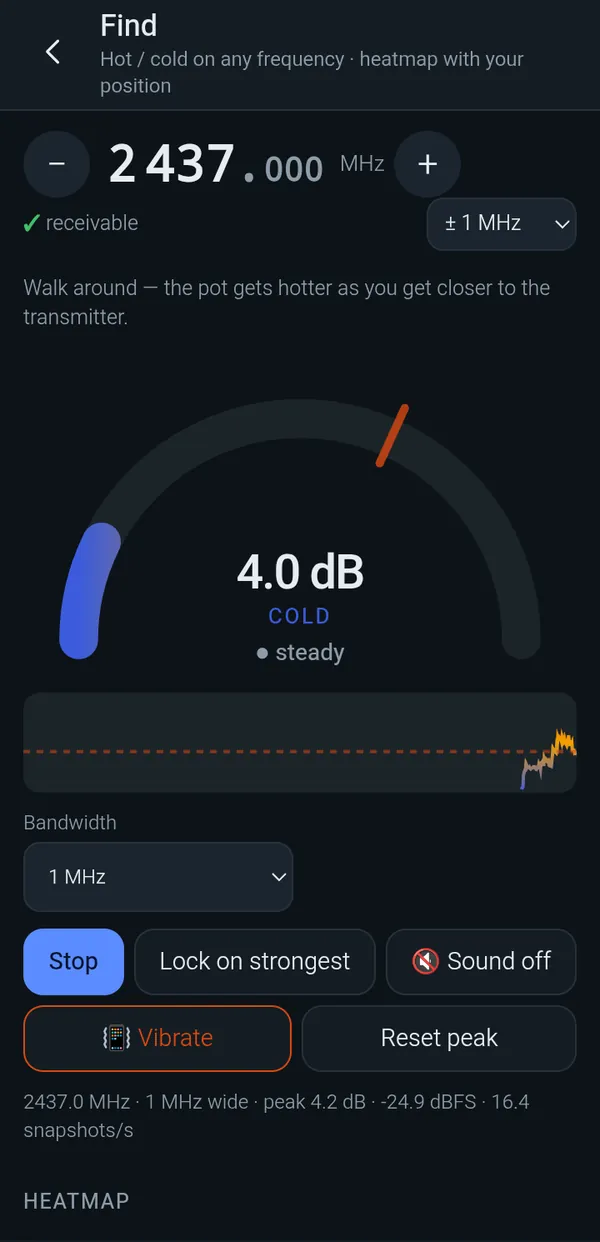
- ImprovedFind: close to the transmitter the gain drops automatically in 10 dB steps (with a tone hint), a “body shadow” bearing toggle, an arrow towards the estimate, a suggested next measuring point and a terrain-aware location estimate.
- ImprovedFewer false finds: spur rejection in the camera/bug finder and in Scan (spur mask per board plus a retune check).
- ImprovedScan: a “Clear finds” button (tap twice), and searches keep running until you stop them.
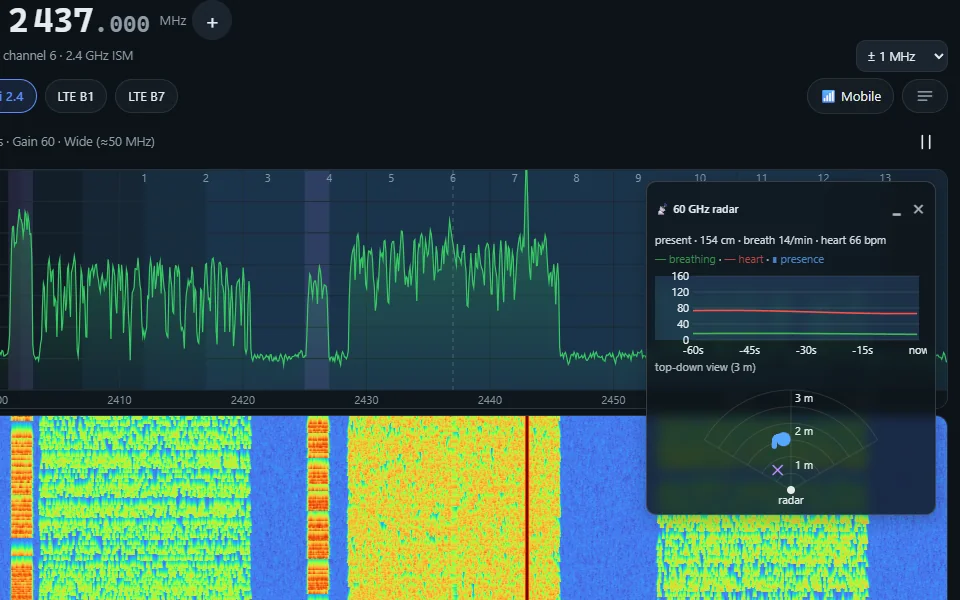
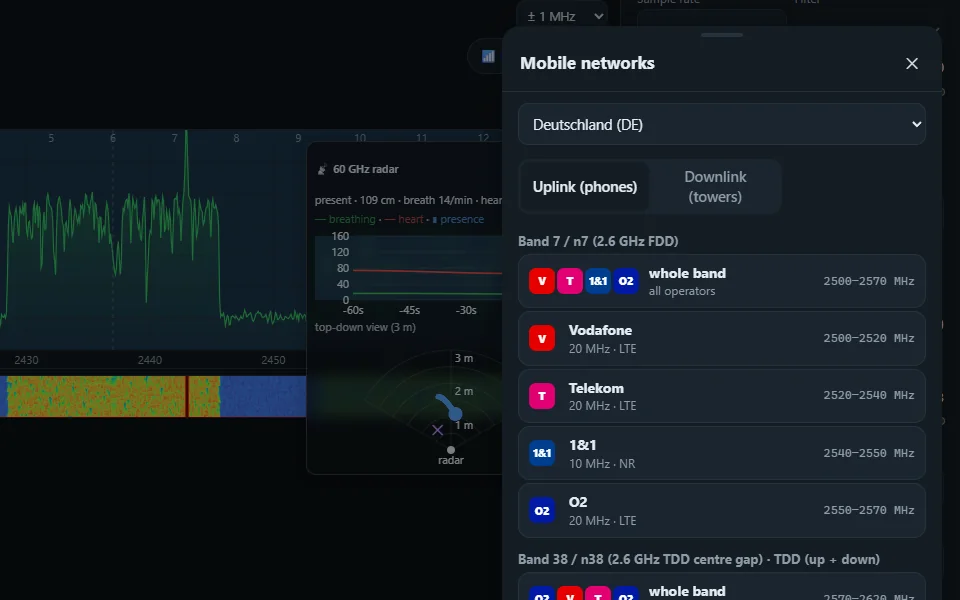
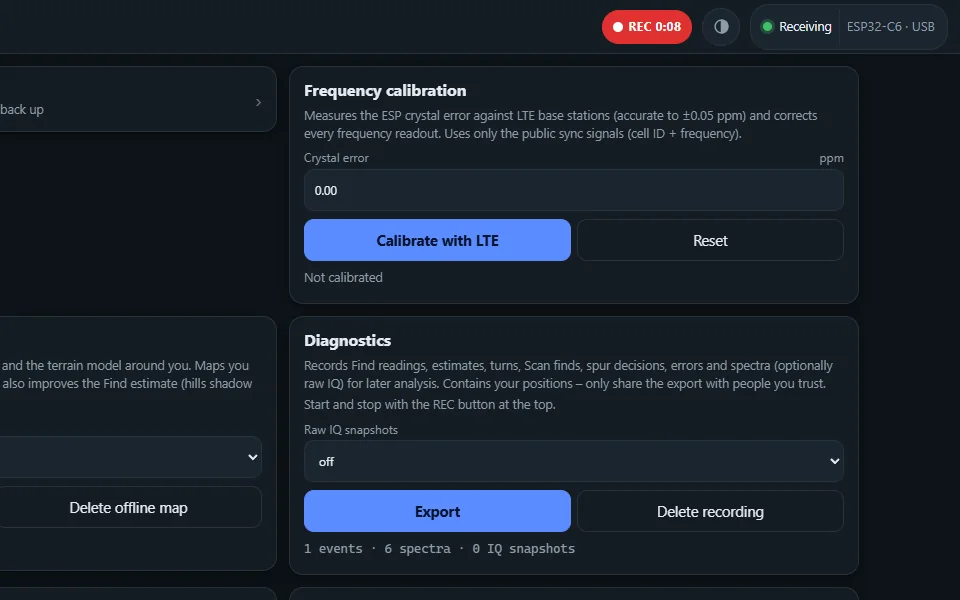
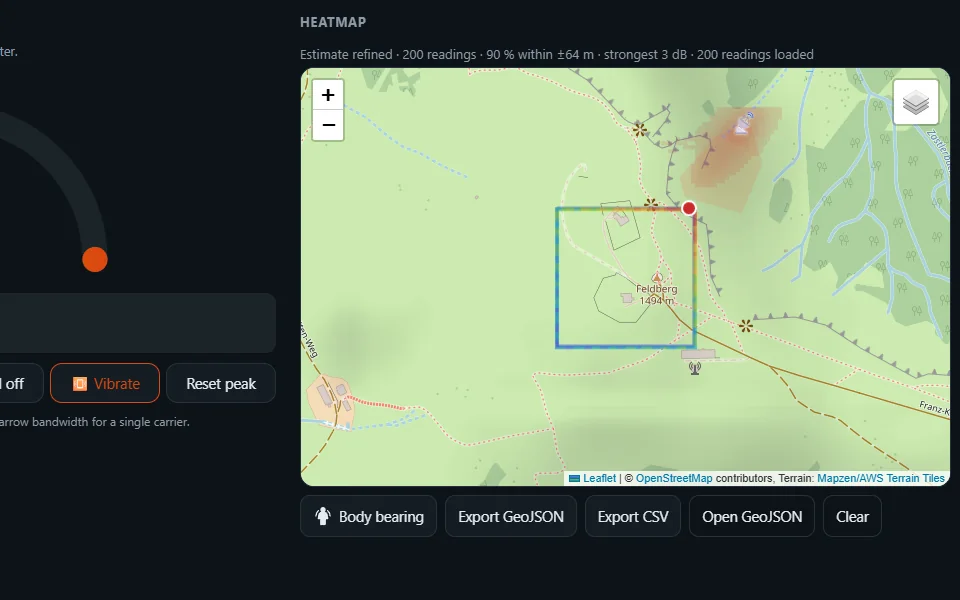
Screenshots of the web app 0.12.15 with simulated data (no hardware attached). All changes in detail: release notes on GitHub ↗
A pocket radio scanner, explained in one breath.
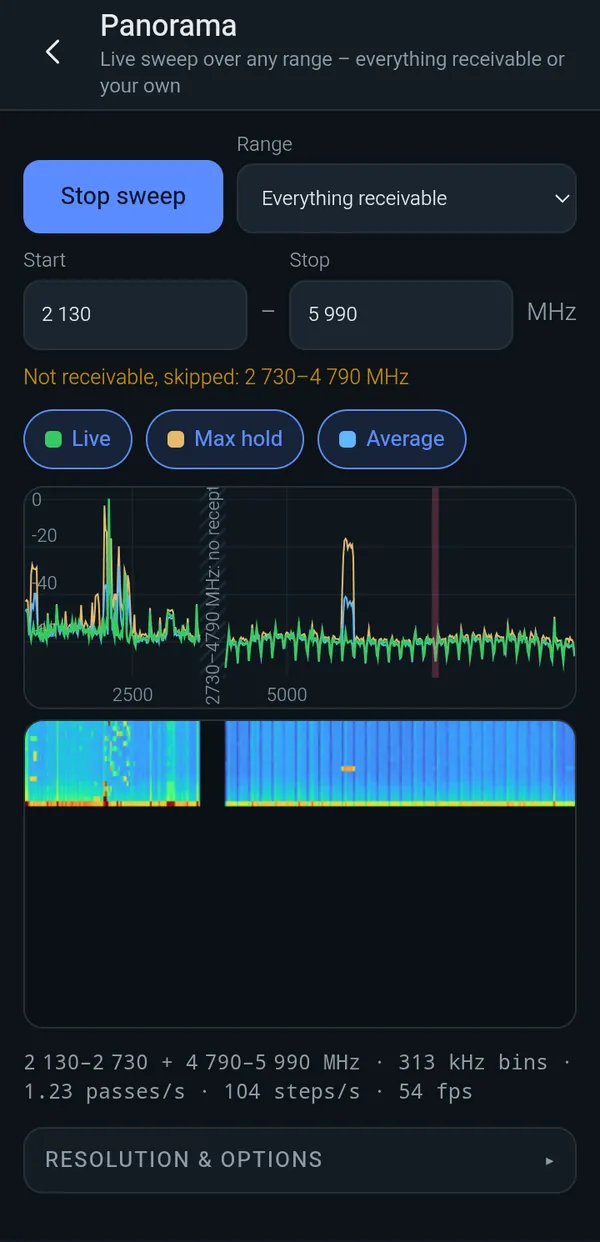
ESPsoup is a receive-only radio scanner app for the ESP32-C5 microcontroller board. It uses the chip's dual-band Wi-Fi radio, running the ESPsoup firmware (based on ESP-SDR by ESPARGOS), as a small software-defined receiver and shows what is on the air at about 2.13–2.73 GHz and 4.79–5.99 GHz.
ESPsoup finds and decodes public broadcasts: Bluetooth LE advertising and trackers, Zigbee and Thread, nRF24 and solar inverters, Wi-Fi beacons, drone Remote ID and LTE/5G cell identities, and its TV tool shows analog FPV and 2.4 GHz camera video live. It recognises many more signals by their shape. It cannot receive anything below about 2.1 GHz, between 2.75 and 4.79 GHz or above 6 GHz. ESPsoup never transmits.
- What
- Receive-only radio scanner and spectrum analyser app
- Hardware
- ESP32-C5 dev board (about 15–25 €) on its native USB port; on Android with a USB OTG cable
- Firmware
- ESPsoup firmware 0.7.1 (open source, GPL-3.0, based on ESP-SDR by ESPARGOS), installed by the app
- Frequency range
- about 2.13–2.73 GHz and 4.79–5.75 GHz (measured), up to 5.99 GHz with the ESPsoup firmware
- Platforms
- Web app (Chrome/Edge, Web Serial) · Android beta · Windows coming soon
- Price
- Free web app · tips welcome
- Languages
- App: 23 languages · website: 22 languages (all except German)
- Made by
- An independent hobby project from Germany · 2026
- Can't
- Receive below about 2.1 GHz (FM, ADS-B, GPS, 433/868 MHz, 1.2 GHz FPV), between 2.75 and 4.79 GHz or above 6 GHz · show digital FPV video (only recognised) · transmit
- Licence
- Firmware: open source, GPL-3.0 · apps: free of charge
- Version
- App 0.12.15 · ESPsoup firmware 0.7.1 · updated 2026-10-12
Four tabs, one pot.
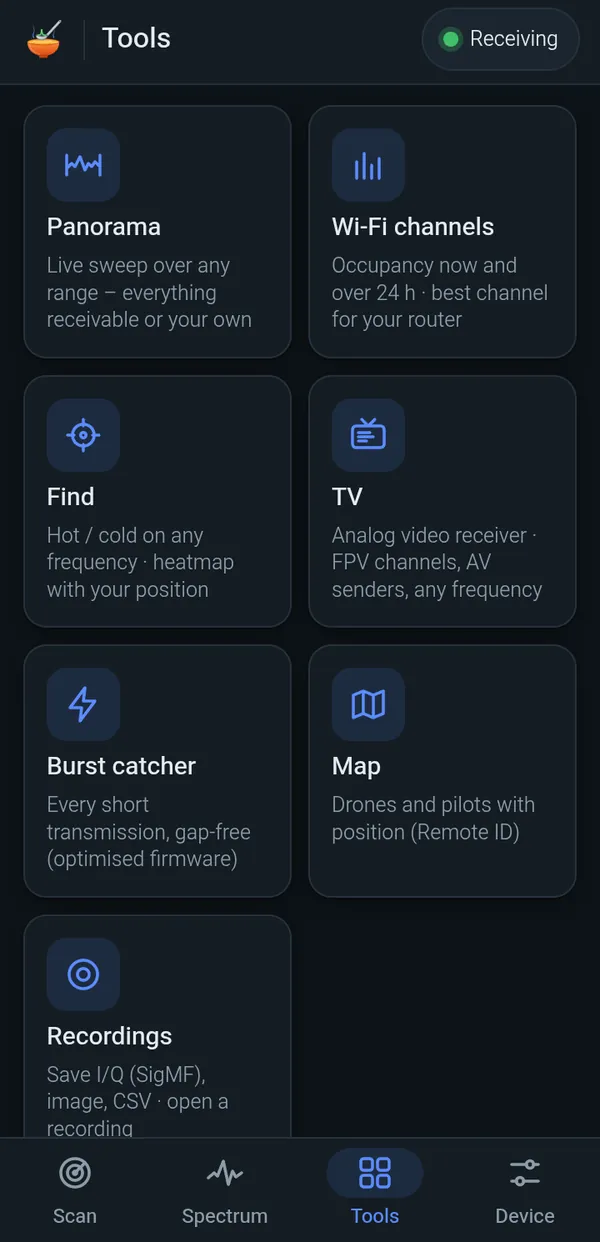
Version 0.12 has a brand-new interface with four tabs at the bottom: Scan to find things, Spectrum to look at the air, Tools for the special spoons and Device for the board itself.
Everything runs locally on your device. ESPsoup only listens: it never transmits, and it only decodes public broadcast information like beacons, cell identities and advertising packets.
Find what's cooking
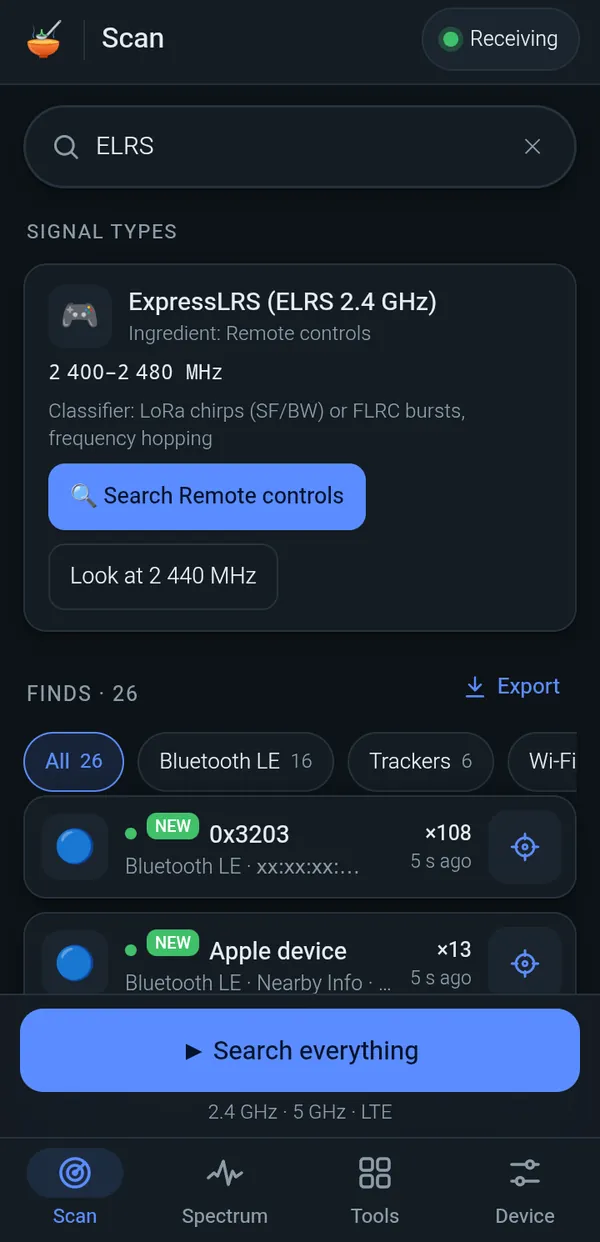
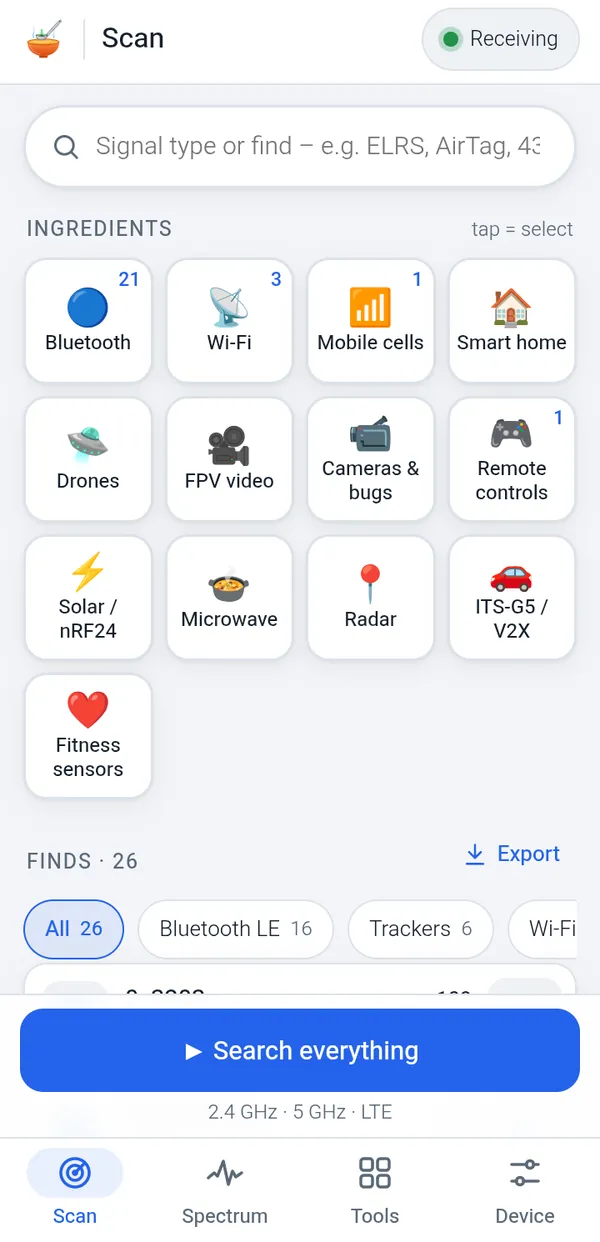
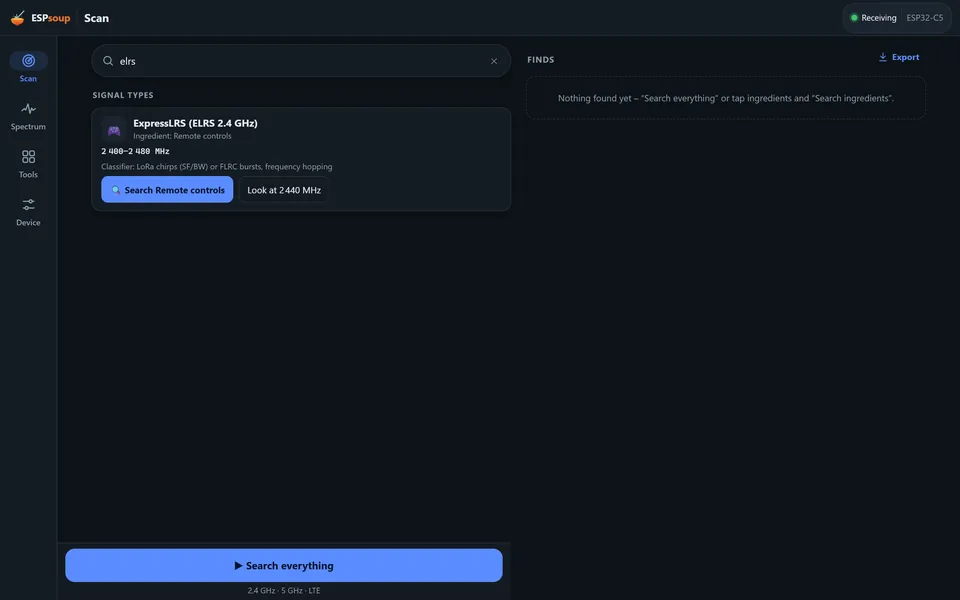
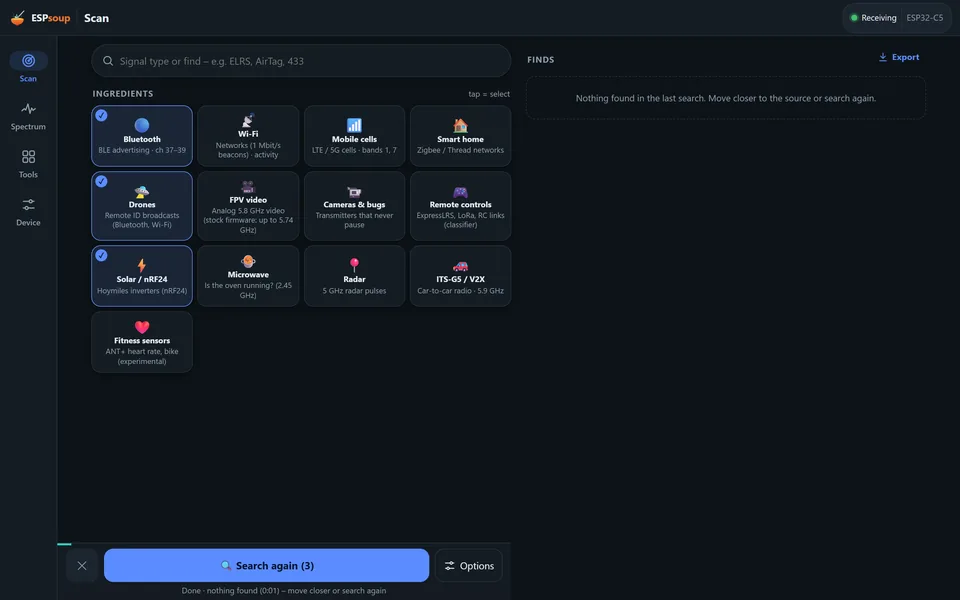
Type a signal type (ELRS, AirTag, HDZero …) or tap ingredient tiles like Bluetooth, Drones or FPV video, then “Search ingredients” or “Search everything”. Finds come with a Find button and export to CSV/JSON.
Tune like a real SDR
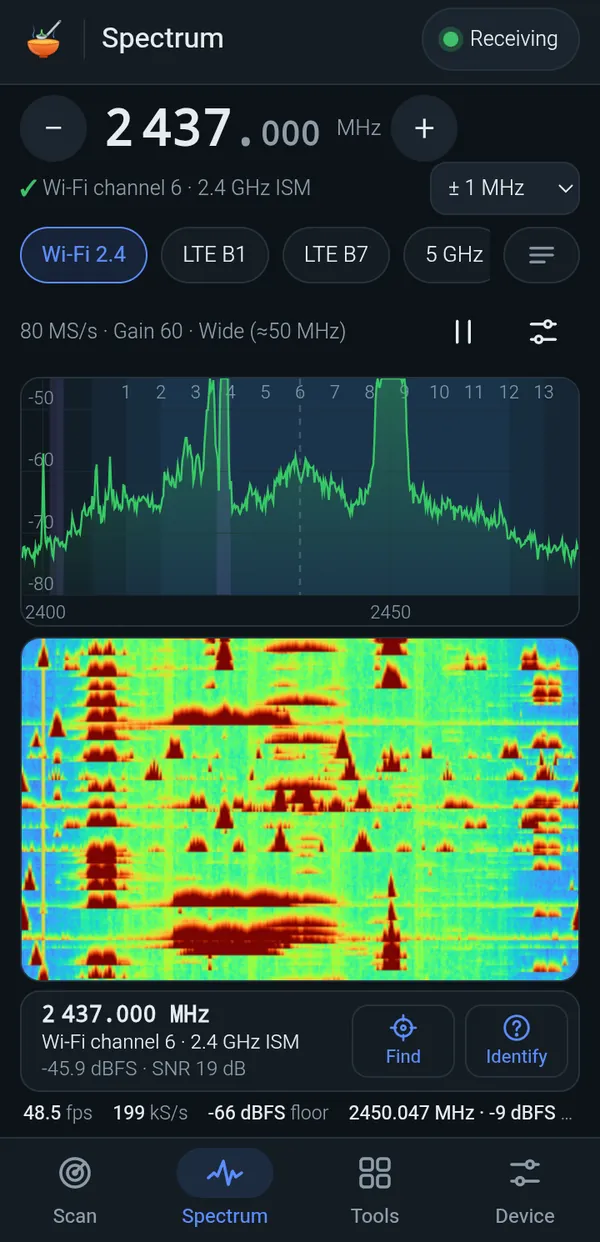
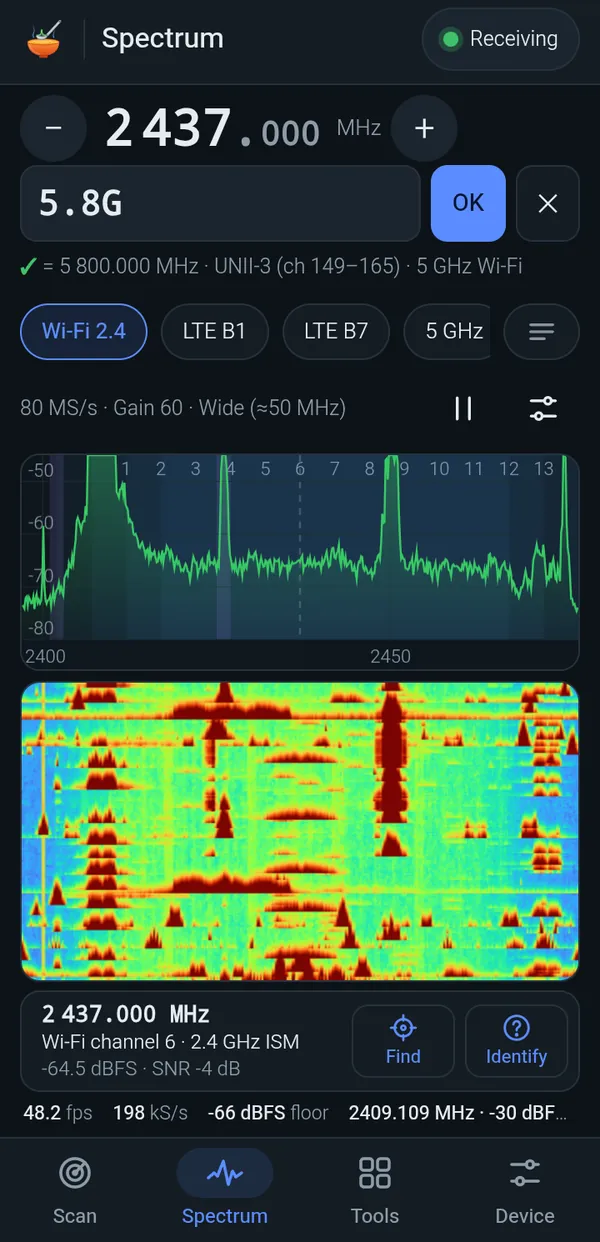
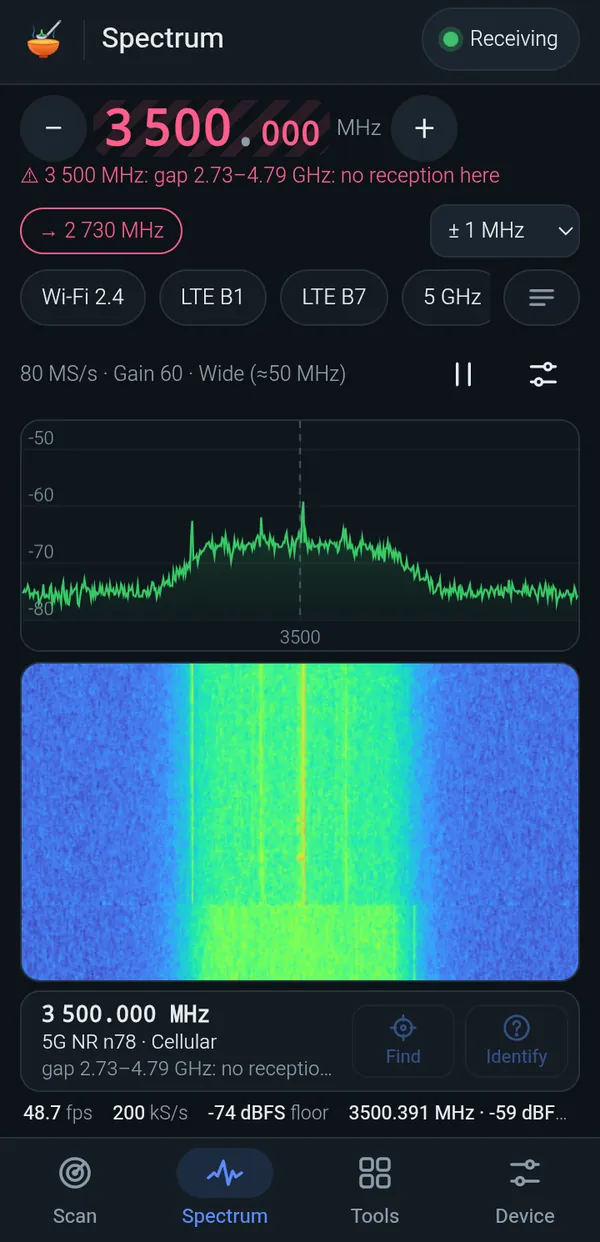
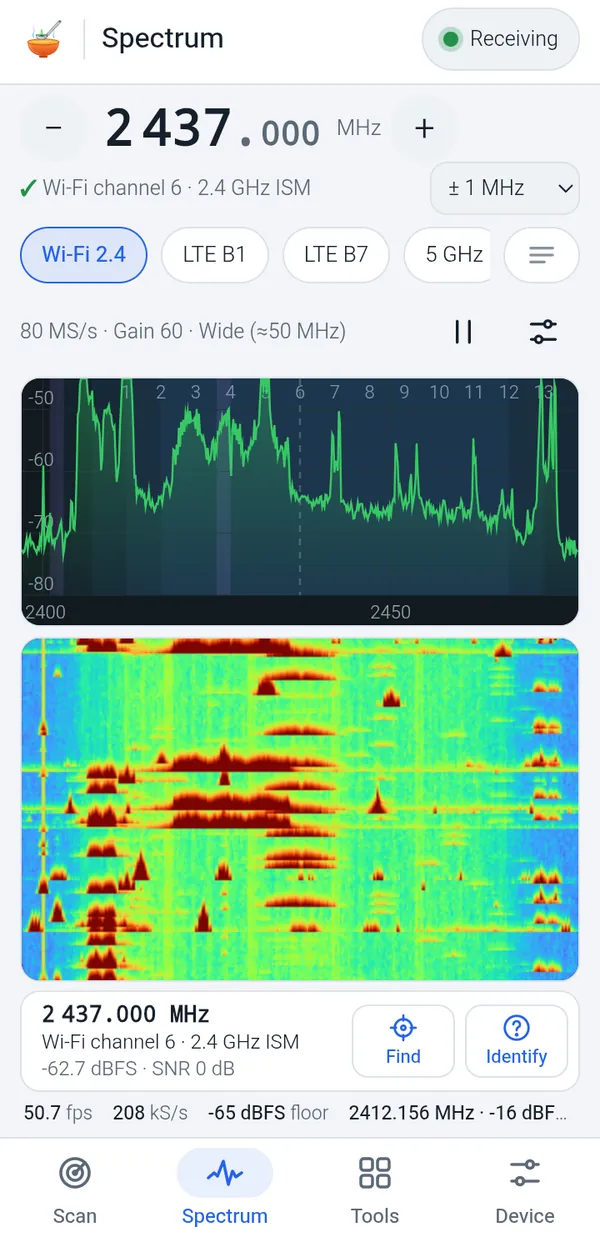
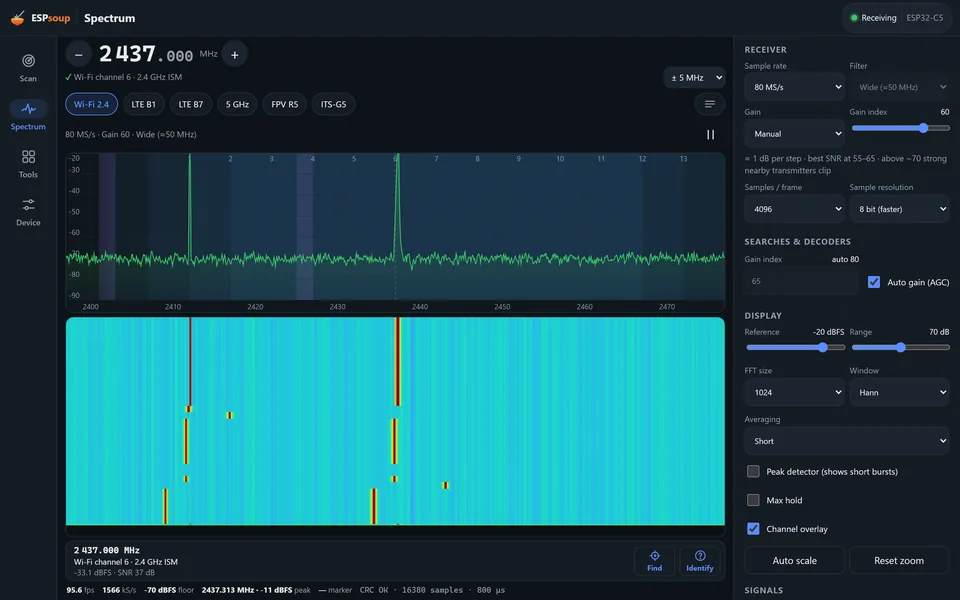
Live spectrum and waterfall. Type a frequency like in SDR software (2437, 2437.5 or 5.8G); if the radio can't reach it, ESPsoup tells you why and where the nearest receivable frequency is.
The special spoons
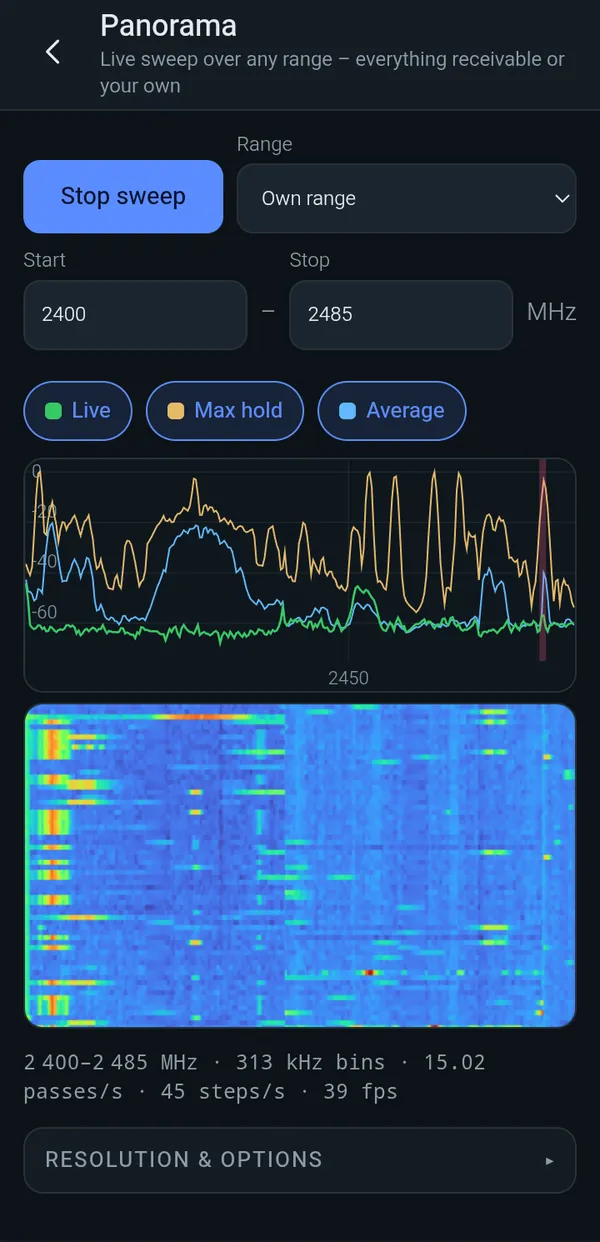
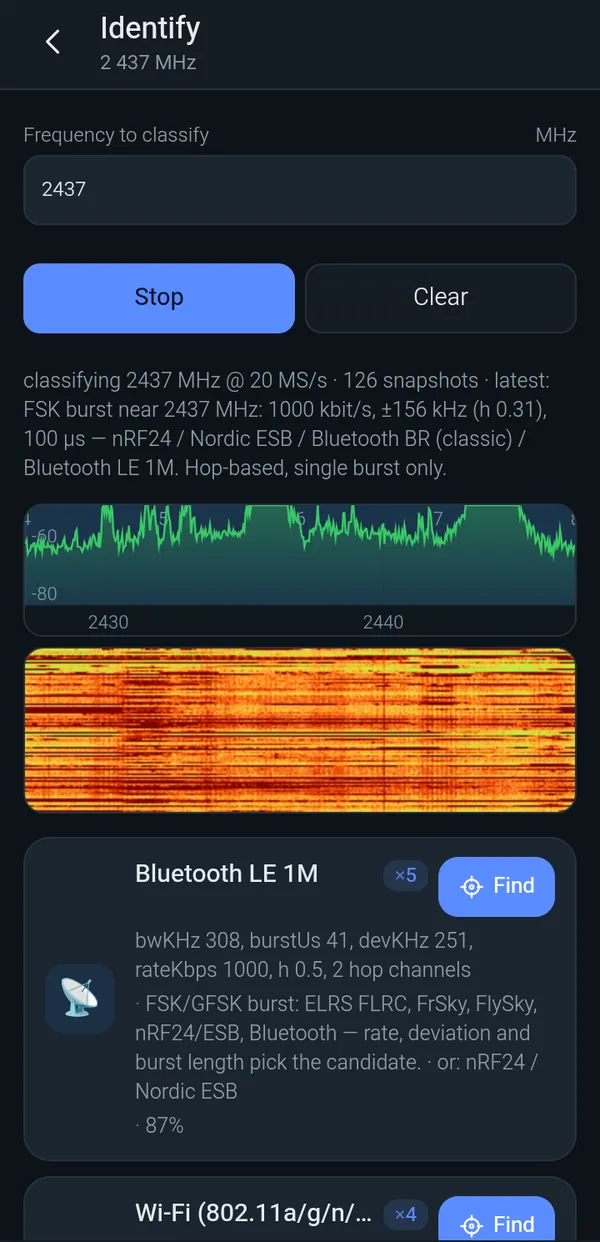
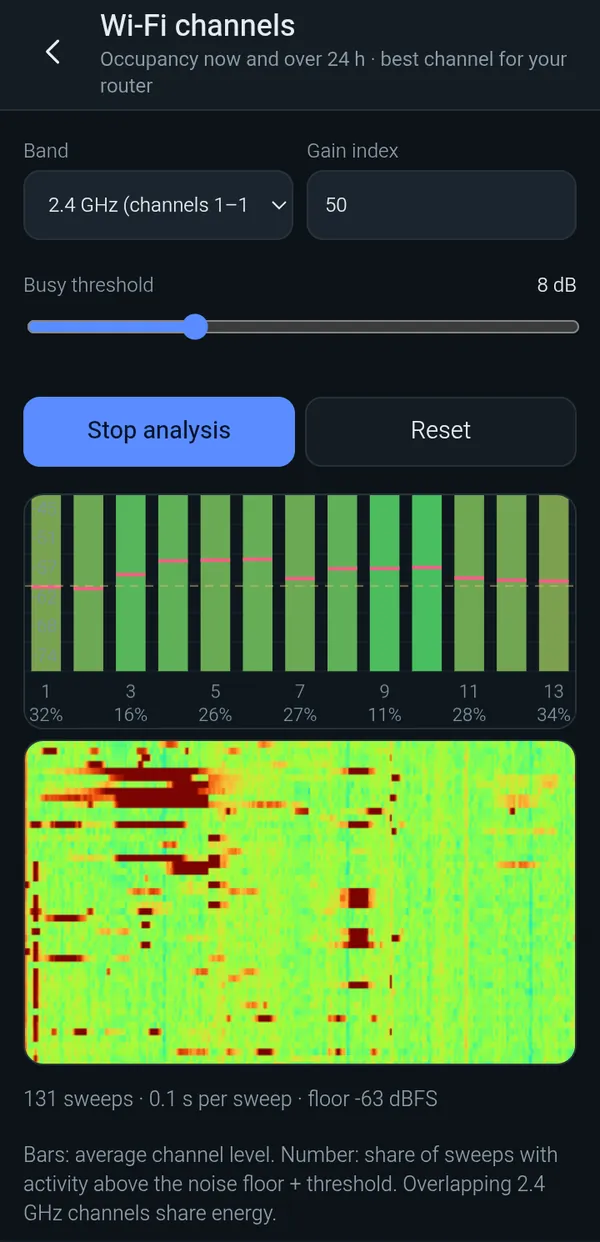
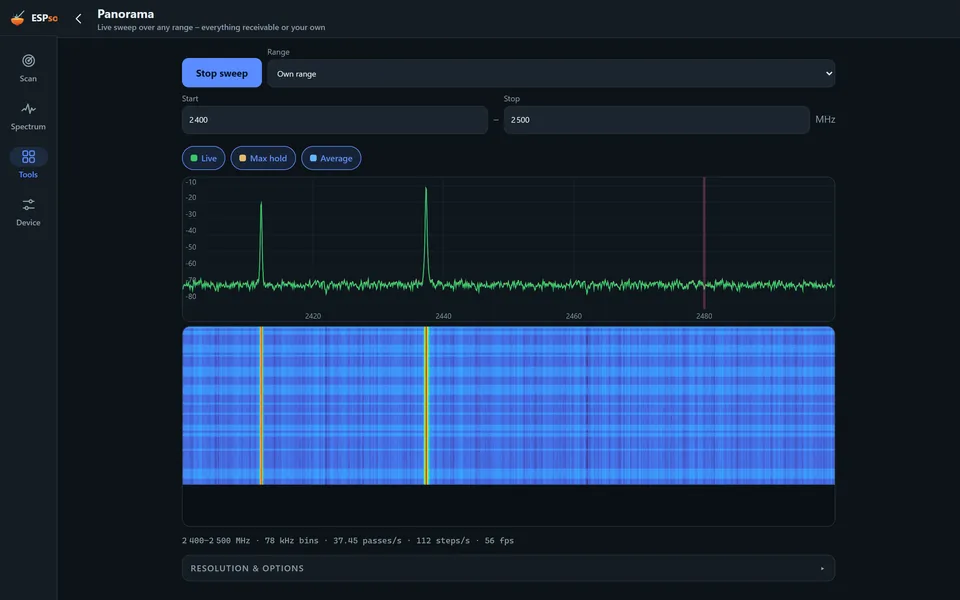
The new TV for analog video, live panorama with your own start and stop, Find on any frequency with a GPS heatmap, Wi-Fi channel occupancy, a burst catcher, a map for Remote ID drones, recordings (SigMF) and Identify.
Board and seasoning
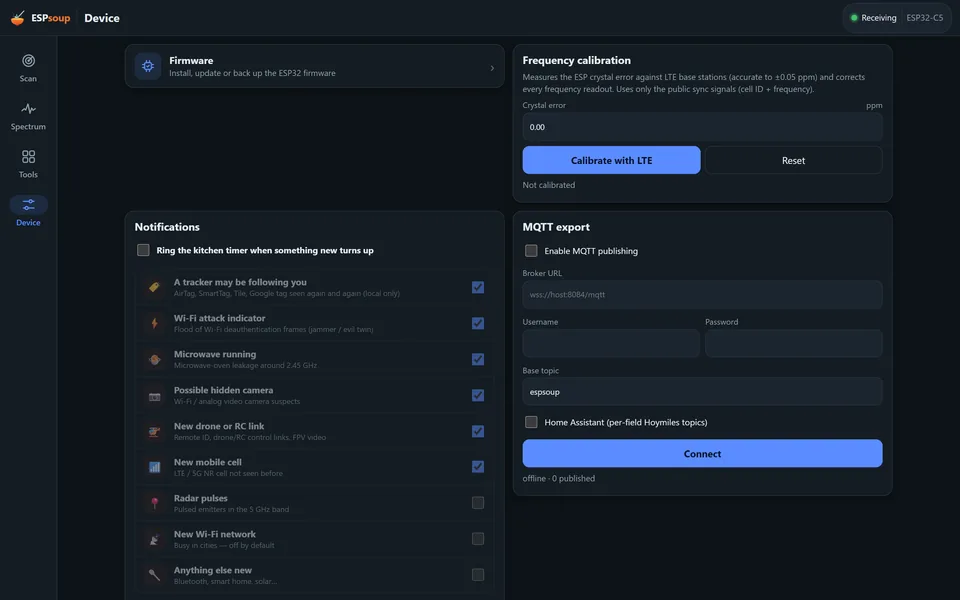
Firmware flasher with backup and verification, frequency calibration against LTE base stations, a second board, notifications and MQTT export to Home Assistant.

Pick only what you care about and ESPsoup visits just those frequencies, so the search is quick. “Search everything” cooks the whole menu in a loop. With two boards it cooks on two burners at once.
A pocket TV for FPV channels.
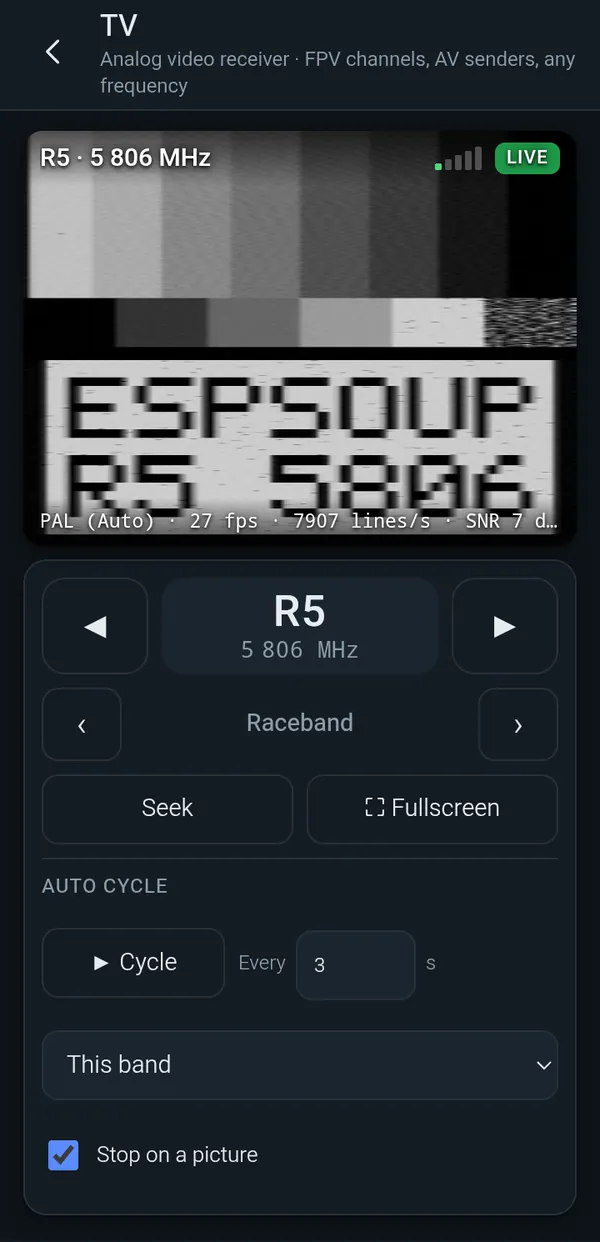
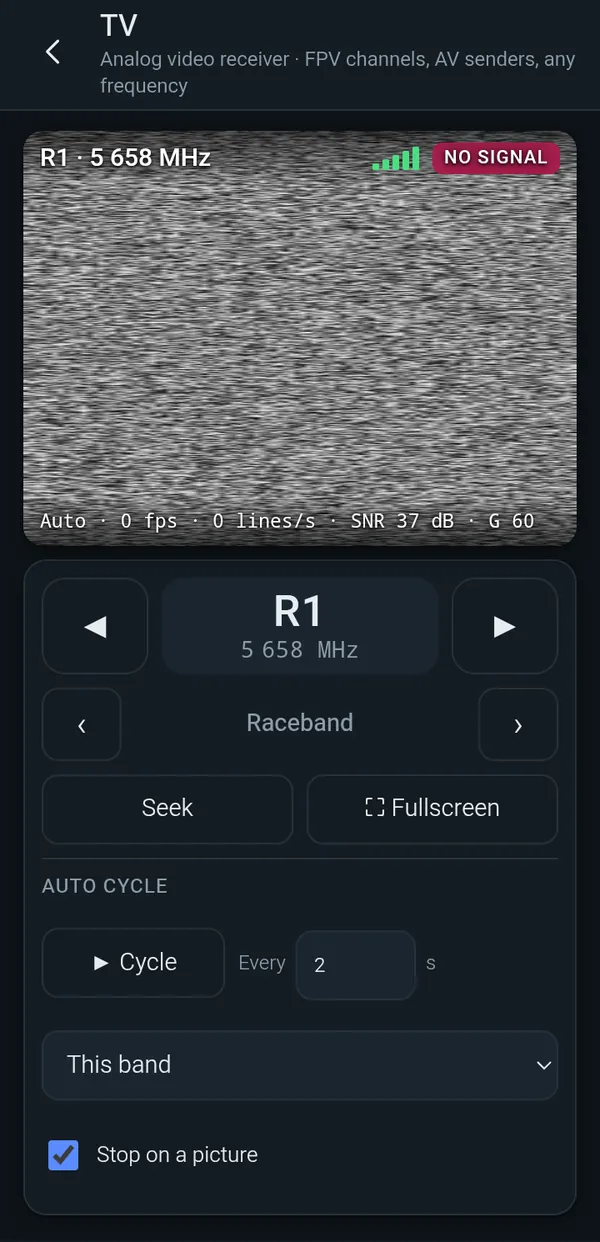
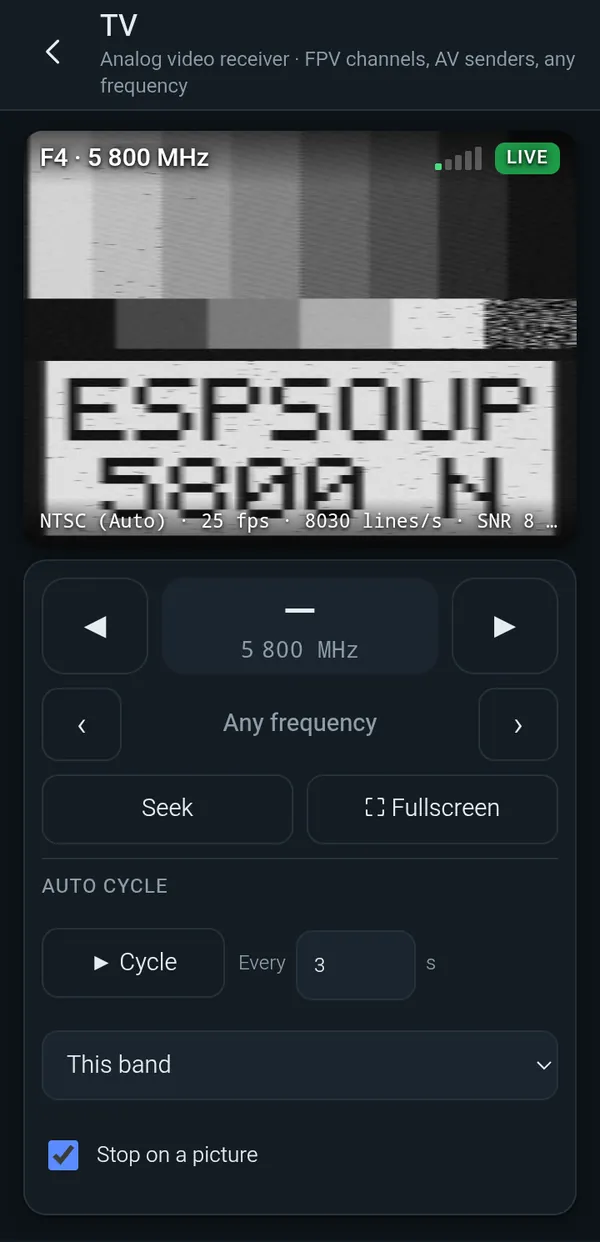
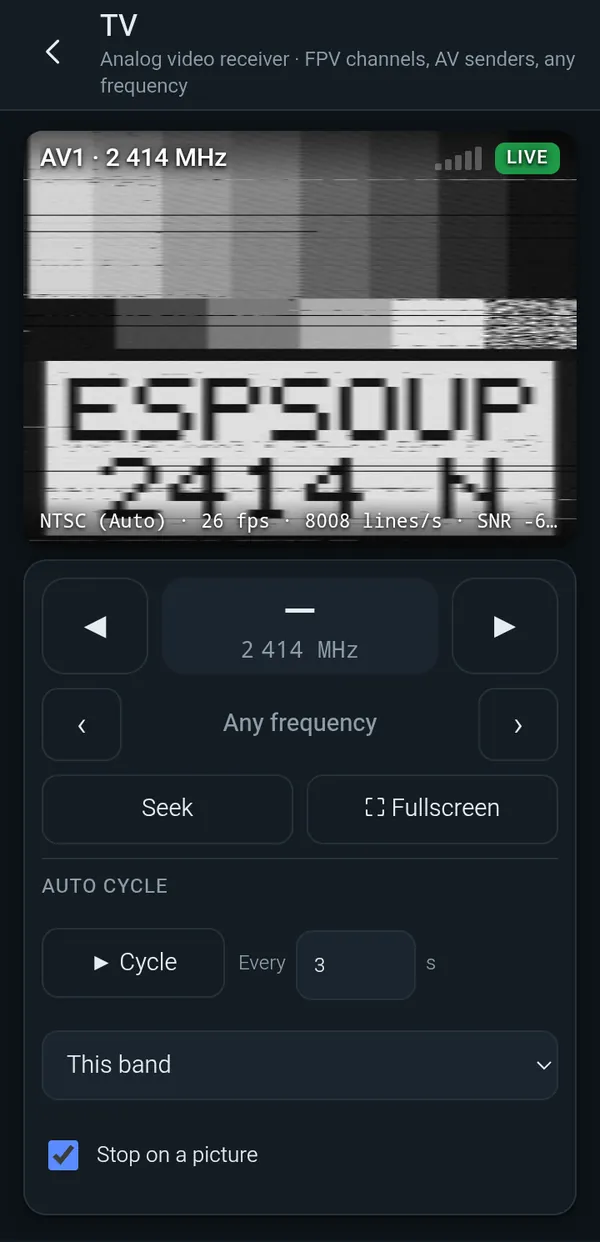
Tools → TV turns the ESP32 into an analog video receiver. Pick a channel from Raceband, Fatshark, Boscam A, B and E, Lowband or the 2.4 GHz AV channels, or type any frequency. The picture starts right away: snow without a signal, the image as soon as there is one. PAL, NTSC or auto, channel ◀ ▶, seek, an auto cycle with an adjustable interval that can stop on a picture, and full screen.
In our test with a lab signal generator all 52 receivable channels (5362–5945 MHz and 2414–2468 MHz) showed a picture, at 24–28 fps and about 7,900 lines per second; two of them needed a second try. The ESP32 demodulates the video itself. The picture is black and white, with optional coarse colour (PAL/NTSC), and the 1.2/1.3 GHz FPV band can't be received. The TV tool uses the ESPsoup firmware 0.7.1, which the app installs for you.
- 52/52 channels with a picture
- 24–28 fps
- PAL · NTSC · auto
- Seek and auto cycle
- Full screen
- Black and white
One ESP32 per channel.
One ESP32-C5 receives exactly one analog channel at a time. To watch several channels at once, plug in several boards: the TV tool shows one picture per board. 8 boards cover a whole band, for example Raceband R1–R8. Tested with 8 boards on a StarTech ST4300USB3V2-UE.
Boards for every channel at once: Raceband 8 · Fatshark 8 · Boscam A 8 · Boscam B 8 · Boscam E 8 · Lowband 8 · 2.4 GHz AV 4 · Raceband + Fatshark 15 · all six 5.8 GHz bands 42 · all 52 channels 46
You need 8× ESP32-C5
for 8 channels at the same time, one board per frequency.
Or 1 board with auto cycle: one channel at a time, the TV tool steps through them.
Frequencies, one board each (MHz)
- 5658 R1
- 5695 R2
- 5732 R3
- 5769 R4
- 5806 R5
- 5843 R6
- 5880 R7
- 5917 R8
ESPsoup Multi-TV kit Ad · affiliate links
Shopping list for 8 channels at once (Raceband)
- 8×ESP32-C5 board with U.FL antenna connectorOne per channel. Our pick: a dev board with the ESP32-C5-WROOM-1U module (Waveshare kit).Board on Amazon ↗eBay ↗AliExpress ↗MediaMarkt ↗all ESP32-C5 boards ↗alternative: Waveshare ESP32-C5 Mini Kit, onboard antenna, no antenna connector (AliExpress) ↗
- 8×5.8 GHz antenna (SMA)One per board, each with a U.FL-to-SMA pigtail. Antenna and pigtail must both be SMA or both RP-SMA. Skip it if your board comes with a dual-band antenna.Antennas on Amazon ↗eBay ↗AliExpress ↗MediaMarkt ↗U.FL-to-SMA pigtail ↗
- 8×Short USB-A to USB-C data cableInto the board's native USB port. It must carry data, not just power.Cables on Amazon ↗eBay ↗AliExpress ↗MediaMarkt ↗or straight into the hub: USB-A-to-USB-C plug adapters ↗
- 1×Powered 10-port USB hub: StarTech 10G8A2CS-USB-C-HUB8× USB-A + 2× USB-C. Multi-TT (VIA VL822 chip), own 65 W power supply.Hub on Amazon ↗eBay ↗AliExpress ↗MediaMarkt ↗VANGREE 16 ports (hub chip not stated) ↗other hubs ↗
- 1×USB-C hub with charging pass-through: Delock 63252For a phone or tablet: USB-C plug, 3× USB-A (multi-TT, VIA VL817), a USB-C power input that charges the phone while it runs the boards. Up to 3 boards directly, more through the powered hub.USB-C hub on Amazon ↗eBay ↗AliExpress ↗MediaMarkt ↗simple OTG adapters ↗

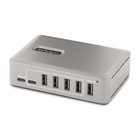
Compact: boards can also sit right in the hub on a short USB-A-plug-to-USB-C-plug adapter. Use the board's native USB port. USB-A always delivers 5 V, so this works even on boards without the 5.1 kΩ CC resistors; on USB-C hub ports a board needs them. Don't lever the boards sideways, keep the antennas a few cm apart, and with wide dev boards use every second port.
Affiliate links (ad): Amazon, eBay, AliExpress, MediaMarkt. We may earn a commission on qualifying purchases at no extra cost to you. As an Amazon Associate we earn from qualifying purchases. The board button opens our tested pick, the radar button the MR60BHA2 kit, the hub buttons the hubs we checked (multi-TT chip documented, own power supply), the other buttons a search; check the product details before you buy.
Tested: 8 boards at once on a StarTech ST4300USB3V2-UE (multi-TT, VIA VL817S) work. Many boards on a single-TT hub share one 12 Mbit/s lane, so every picture gets less resolution.
USB: why the hub matters
Each board sends its picture over USB at full speed (12 Mbit/s). On a simple hub (single-TT) all boards share about 1.1 MB/s, so every picture gets less resolution. A powered multi-TT hub gives every port its own lane: the hubs in the list below have a hub chip with multi-TT (VIA VL817/VL822 or Realtek RTS5411) and their own power supply. On a phone or tablet: a USB-C hub with charging pass-through plus the powered hub. Tested with 8 boards on a StarTech ST4300USB3V2-UE. Which hub? →
Which USB hub for several boards?
Each ESP32-C5 streams its picture over USB at full speed. A hub with a multi-TT chip gives every board its own 12 Mbit/s lane; a single-TT hub makes all boards share one. These hubs have a documented multi-TT chip and their own power supply.
- Ad*
- Ad*ICY BOX IB-HUB1703-QC3multi-TT · VIA VL8175–7 boards7× USB-A + 3 charge ports · metal · 12 V/5 AAmazon ↗eBay ↗MediaMarkt ↗
- Ad*
- Ad*
- Ad*
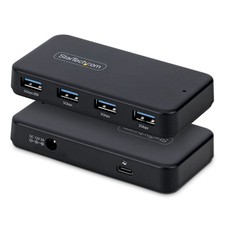


Good hub chips (multi-TT)
- VIA VL817 / VL817S (USB 3, 4 ports)
- VIA VL822 (USB 3.2 Gen 2)
- Realtek RTS5411 (USB 3, TT per port)
- Genesys GL852G (USB 2.0)
- Terminus FE2.1 (USB 2.0, 7 ports)
- Microchip USB2514 / USB2517, Infineon HX2VL
Avoid (single-TT)
- Terminus FE1.1 / FE1.1s – in many cheap hubs
- Genesys GL850G
- hubs that don’t name their chip and have no power supply
- “USB 3.0” alone says nothing: the ESP32-C5 only uses the hub’s USB 2.0 part
Check yours: on Windows, USB Device Tree View shows “Multi-TT” or “Single-TT” for the hub; on Linux, lsusb -v says TT per port for multi-TT. Hubs with many ports are often several 4-port chips in a row – each chip brings its own TT, which helps, but true multi-TT is better.
*Ad: affiliate links (Amazon, eBay, MediaMarkt). We may earn a commission at no extra cost to you. Chips from the manufacturers’ spec sheets.
Real screens, real air.
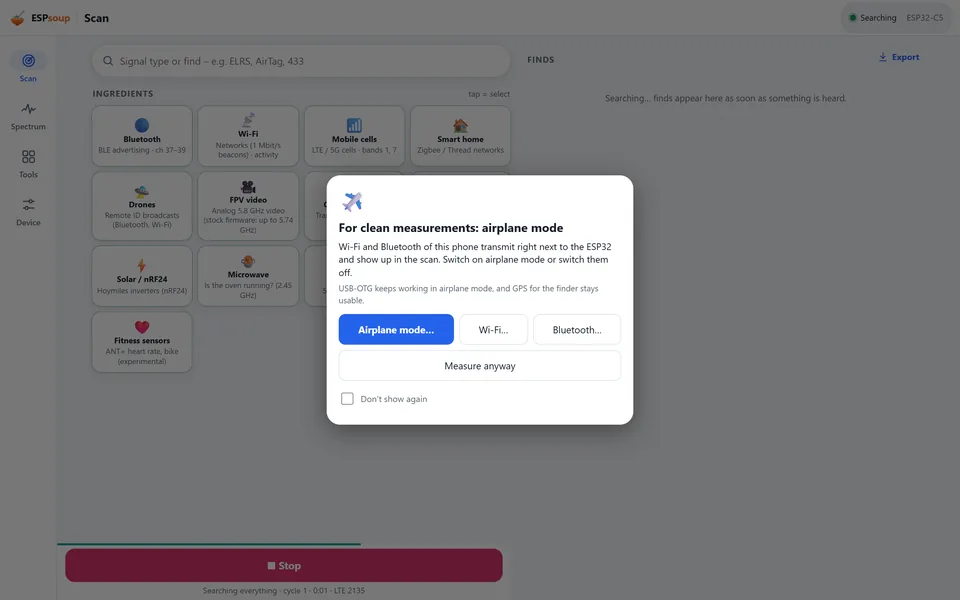
ESPsoup 0.12.1 on an Android phone with a real ESP32-C5 attached, plus the same app on a desktop. Device addresses of neighbours are hidden. Screens with a simulated board are marked “sample”.
📱Android
Real phone, USB OTG, ESP32-C5 on its native USB port. Dark and light theme.
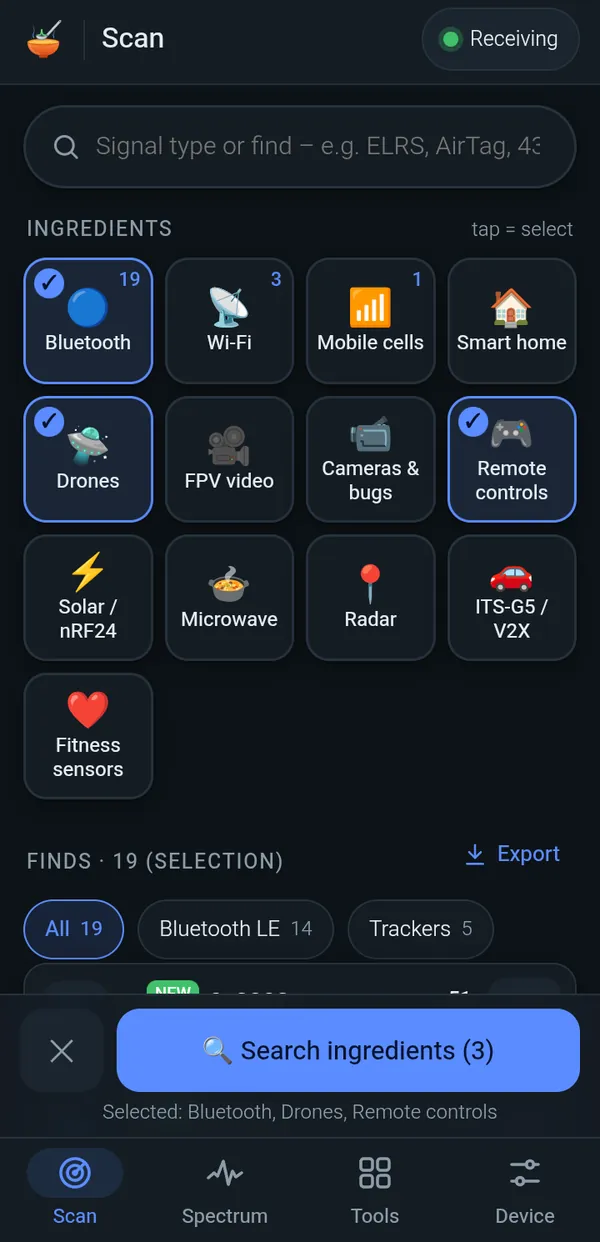
Swipe for more →
🖥️Desktop
The same interface on a wide screen, here with a simulated board. The browser app and the Windows app share it.
What works, what partly works, what doesn't.
The ESP32-C5 is a Wi-Fi chip, not a lab SDR. This is what ESPsoup really does with it, based on our tests on real air and with a lab signal generator (October 2026).
Measuring? Put your phone in airplane mode.
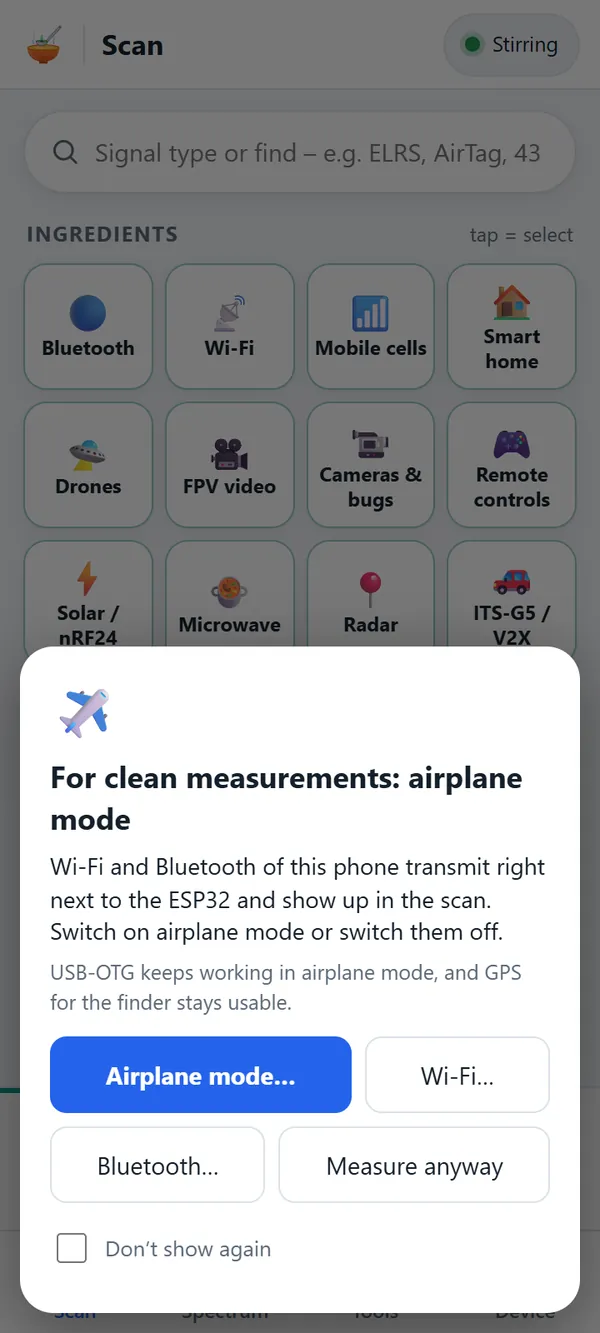
Your phone's own Wi-Fi and Bluetooth transmit a few centimetres from the ESP32 and would be the loudest ingredient in the soup. Switch on airplane mode, or at least turn off Wi-Fi and Bluetooth. USB OTG keeps working, and GPS for the Find heatmap stays available. The app reminds you before a measurement.
Which ESP32 do I need?
An ESP32-C5. It is the ESP32 with a dual-band 2.4 + 5 GHz radio, and it is what ESPsoup is built and tested on. Boards cost around 7–25 €.
Just one board? Starter set Ad · affiliate links
Everything you need for one ESP32-C5 receiver: board with antenna, plus a data cable. Add more boards later.
- 1×ESP32-C5 board with U.FL antenna connectorOur pick: the Waveshare ESP32-C5 kit (ESP32-C5-WROOM-1U). It comes with a dual-band antenna and the U.FL cable already attached, so you need nothing else for the antenna.Board on Amazon ↗eBay ↗AliExpress ↗MediaMarkt ↗all ESP32-C5 boards ↗alternative: Waveshare ESP32-C5 Mini Kit, onboard antenna, no antenna connector (AliExpress) ↗
- 1×USB-C data cableInto the board's native USB port. It must carry data, not just power.Cables on Amazon ↗eBay ↗AliExpress ↗MediaMarkt ↗
- 1×3D-printed case (optional)Rugged printed case from our own Etsy shop, PitsPrintShop. Cases are being added, so check the shop for what fits your board.Case on Etsy ↗eBay ↗AliExpress ↗MediaMarkt ↗
- 1×USB-C OTG adapter (for Android)Only for a phone or tablet: USB-C plug to USB-A socket, with data.OTG adapters on Amazon ↗eBay ↗AliExpress ↗MediaMarkt ↗USB-C hub with charging (Delock 63252) ↗
Optional: for the 60 GHz radar
- 1×Seeed Studio MR60BHA2 60 GHz mmWave kitXIAO ESP32-C6 + HLK-LD6002 radar, only for the experimental radar tool. It is not a receiver for the other tools; the ESP32-C5 stays your main board.MR60BHA2 on Amazon ↗eBay ↗AliExpress ↗MediaMarkt ↗
Affiliate links (ad): Amazon, eBay, AliExpress, MediaMarkt. We may earn a commission on qualifying purchases at no extra cost to you. As an Amazon Associate we earn from qualifying purchases. The board button opens our tested pick, the radar button the MR60BHA2 kit, the hub buttons the hubs we checked (multi-TT chip documented, own power supply), the other buttons a search; check the product details before you buy.
Want to watch several FPV channels at once? Open the kit list →
Boards, antennas, cables, USB hub: the kit list has everything, for one board or for a whole band. Open the kit list →
Cook in the browser today.
The web app runs in Chrome or Edge on Windows, macOS, Linux and ChromeOS. It talks to the board over Web Serial, works offline once loaded and can be installed like an app. On Android, get the beta APK.
Browser app
Open it, plug in your board and click Connect. Needs a browser with Web Serial (Chrome, Edge, Opera).
app.espsoup.com ↗Android app
ESPsoup beta 0.4 (app 0.12.15) with the new interface, the TV tool, the 60 GHz radar tool and the ESPsoup firmware built in, talking to the board over USB OTG. Android 7 or newer; allow installing from this source.
Download APK (5.1 MB) ↓Windows desktop
A portable Windows app with the same interface. Public download coming soon.
Coming soonFirmware: ESPsoup firmware 0.7.1
ESPsoup needs the ESPsoup firmware 0.7.1 on the board. Both apps install it for you: plug in the board and open Device → Firmware. The flasher backs up your board first and verifies every write. Open source (GPL-3.0): source code and binaries on GitHub ↗.
Beta Based on the open-source ESP-SDR firmware by ESPARGOS ↗, extended with the TV tool and coarse colour, the fast Bluetooth packet catcher, gap-free analysis and reception up to 5.99 GHz. Thanks to ESPARGOS, and to C5VRX ↗ for the gap-free capture idea, and to eSpDR by h0m3us3r ↗.
Experimental 60 GHz radar: the Seeed Studio MR60BHA2 kit runs its own firmware on its ESP32-C6. Install it from the app (Device → Firmware) or from the mr60bha2-sdr-firmware releases ↗.
On the stove next
- Windows desktop app as a public download
- Sharper colour in the TV picture (today: coarse colour, PAL and NTSC)
- Decoding BLE Long Range and DJI DroneID
- Surer RC link identification
Keep the soup cooking.
ESPsoup is a hobby project. If it helps you, a small tip pays for test boards, antennas and a lot of coffee.
Questions from the kitchen.
Does ESPsoup transmit anything?
No. ESPsoup is receive-only. It never transmits and only decodes publicly broadcast information such as beacons, advertising packets and cell identities.
Which board do I need?
An ESP32-C5 development board, ideally one with a U.FL connector for an external antenna. Connect it by its native USB port; on Android you also need a USB OTG cable that carries data.
Can it receive FM radio, ADS-B, GPS or 433/868 MHz sensors?
No. Measured with a signal generator, the ESP32-C5 receives about 2.13–2.73 GHz and 4.79–5.99 GHz. Nothing below about 2.1 GHz reaches it, including ADS-B at 1090 MHz and GPS, and nothing between 2.75 and 4.79 GHz or above 6 GHz. For those bands you need a real SDR such as an RTL-SDR.
Is the firmware included?
Yes. Both the Android app and the browser app ship the open-source ESPsoup firmware 0.7.1 (GPL-3.0, source on GitHub ↗) and flash it under Device → Firmware, with a backup first. It is based on ESP-SDR by ESPARGOS.
Which browsers work?
Chrome, Edge, Opera and other Chromium browsers on Windows, macOS, Linux and ChromeOS, because they support Web Serial. Firefox and Safari do not, so iPhone and iPad can't be used. On Android, use the Android beta app (APK download above).
Does my data leave my device?
No. Everything is decoded locally, and your location for the map and the Find heatmap stays on the device too. Data only leaves the device if you turn on MQTT export to your own broker or load map tiles (OpenStreetMap).
What does ESPsoup cost?
The web app at app.espsoup.com is free. You only need an ESP32-C5 board for about 15–25 €. Tips via Ko-fi or PayPal keep the project going.
Is ESPsoup an official Espressif or ESPARGOS product?
No. ESPsoup is an independent hobby project. Its firmware is based on ESP-SDR by ESPARGOS and runs on Espressif's ESP32-C5, but it is not affiliated with either.
Can I watch FPV or drone video?
Analog video, yes: the TV tool tunes Raceband, Fatshark, Boscam A/B/E, Lowband and 2.4 GHz AV channels or any frequency and shows the picture live at about 25 fps, in black and white or with coarse colour. In our test all 52 receivable channels gave a picture. The ESPsoup firmware demodulates the video on the ESP32 itself. The 1.2/1.3 GHz band can't be received, and digital systems like DJI, HDZero or Walksnail are only recognised, without a picture.
Why should my phone be in airplane mode?
Because your phone's own Wi-Fi and Bluetooth transmit right next to the ESP32 and would swamp the measurement. USB OTG and GPS keep working in airplane mode.
How many boards do I need to watch every FPV channel at once?
One ESP32-C5 per channel, because each board receives exactly one analog channel at a time. A whole band like Raceband R1–R8 needs 8 boards; all 52 receivable channels together are 46 different frequencies, so 46 boards. With a single board, the auto cycle steps through the channels one after another. Tested with 8 boards on a StarTech ST4300USB3V2-UE. The Multi-TV calculator lists boards, antennas, cables and the USB hub.
Can ESPsoup detect drones?
Yes, within its frequency range. It decodes drone Remote ID broadcasts (Bluetooth, Wi-Fi beacon and Wi-Fi NAN) and shows drone and pilot position on the map, shows analog FPV video live, and recognises DJI OcuSync, HDZero and Walksnail video links and RC links such as ExpressLRS by their signal shape, without a picture or control data. DJI DroneID is not decoded yet, and links below 2.1 GHz (such as 868/915 MHz ELRS or 1.2 GHz video) can't be received.
Can ESPsoup find hidden cameras?
Only wireless ones that transmit. The “Cameras & bugs” search looks for 2.4 and 5.8 GHz transmitters that never pause, analog cameras show their picture in the TV tool, and Find leads you to the strongest signal. Cameras that only record to an SD card, use Wi-Fi only while someone watches, or transmit outside 2.13–2.73 and 4.79–5.99 GHz can't be found by radio.
Can ESPsoup find LTE and 5G cells?
Partly. It reads LTE and 5G NR cell identities in bands 1 and 7 (2.11–2.17 and 2.62–2.69 GHz) and uses them to calibrate the board's crystal; Find with the GPS heatmap then helps you walk towards a cell's antenna. Whether real cells are found depends on your surroundings. Bands 3, 8, 20 and 5G n78 (3.5 GHz) are outside the radio's range.
Can I record the TV picture?
Yes, since app 0.12.7. The REC button saves the picture as a WebM video with channel, frequency and time burned in, replay saves the last 30 seconds after the fact, and Multi-TV records all pictures in one video.
ESPsoup or an RTL-SDR: which do I need?
They cover different bands. A typical RTL-SDR stick receives roughly 24–1766 MHz (FM, ADS-B, 433/868 MHz) but not 2.4 or 5 GHz. ESPsoup on an ESP32-C5 receives about 2.13–2.73 and 4.79–5.99 GHz, where Wi-Fi, Bluetooth, drones and 5.8 GHz FPV live, and decodes many of those signals in the app. For everything below 2.1 GHz use an RTL-SDR; for 2.4/5 GHz an ESP32-C5 is enough.
Legal
ESPsoup only receives. Rules on receiving radio signals and on what you may do with the information differ from country to country. Use it responsibly and at your own risk.
ESPsoup is an independent project. It is not affiliated with Espressif Systems or with the ESPARGOS / ESP-SDR project. ESP32 is a trademark of Espressif Systems.